How can small businesses move existing applications to the cloud?
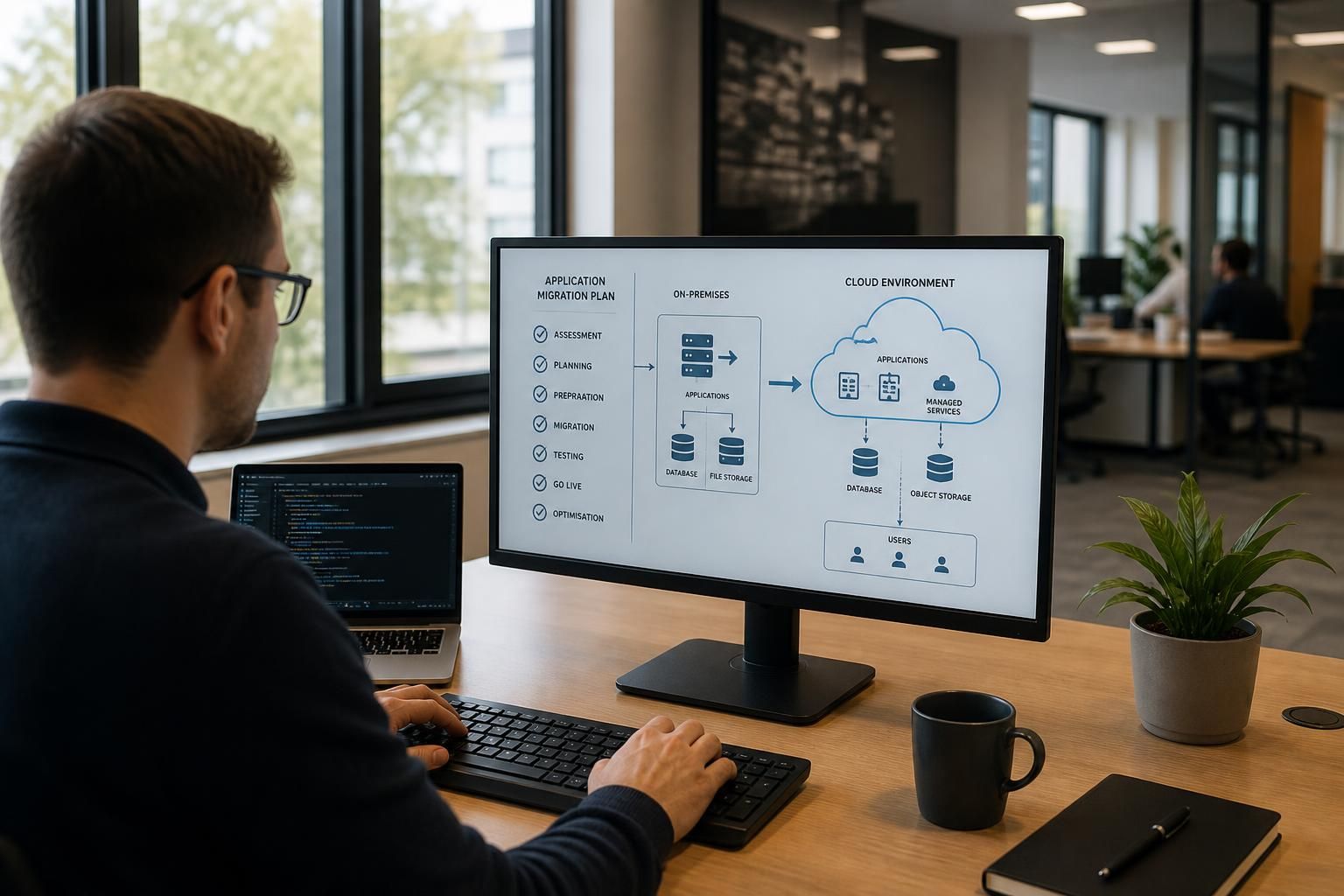
Small businesses can move existing applications to the cloud by assessing compatibility and dependencies, selecting an appropriate cloud environment, then migrating in planned stages with backups, testing and user checks at each step. S2 Technology Group can help review the application estate, plan the migration and configure secure cloud access while minimising disruption to business operations.
Moving an existing application to the cloud means transferring its software, data, configuration and supporting services from local infrastructure to a cloud-based environment while preserving the functions the business depends on. The right method depends on how the application is built, where its data is held, how users connect to it and whether its licence permits cloud deployment.
Start with the application’s operating requirements. Document the application version, database type, storage needs, integrations, user roles, authentication method and any scheduled tasks or background services. Record which systems exchange information with it, such as finance, customer management, production or document-management platforms. An application may appear self-contained but rely on a local database, file share, directory service, printer, mapped drive or fixed network address.
This inventory also identifies technical constraints. Older applications may require a particular operating system, outdated database component or locally installed client. Others may depend on low-latency access to equipment at the business premises. These dependencies do not automatically prevent a cloud migration, but they may require a different design, a replacement component or a hybrid arrangement in which some systems remain on-site.
Choose the migration approach according to the application’s condition and business value. Common approaches include:
- Rehosting: moving the application with limited changes to a cloud-hosted server. This can be appropriate where the software is stable but the existing physical infrastructure needs replacing.
- Replatforming: changing part of the underlying hosting arrangement, such as moving a database to a managed service, without redesigning the application completely.
- Refactoring: modifying the application so it can use cloud-native services. This may improve flexibility but usually requires development work and a detailed understanding of the software.
- Replacing: adopting a cloud application with equivalent functionality where the existing product is obsolete, unsupported or expensive to maintain.
A direct move is not always the best option. A legacy application with limited vendor support may work technically in a hosted environment but remain difficult to secure, update or integrate. Conversely, an application with a supported architecture may be suitable for relocation with only configuration changes. The decision should consider business criticality, supportability, licensing, security requirements and the cost of adapting the application.
Prepare the cloud environment before transferring production use. This includes establishing suitable identity controls, permissions, network routes, encryption settings, monitoring and administrative access. Separate administrative accounts from ordinary user accounts, apply the principle of least privilege and define who can approve changes. If the application handles personal, financial or commercially sensitive information, its access controls and data-handling arrangements should be reviewed against the organisation’s regulatory and contractual obligations.
Licensing needs particular attention. Some software licences are tied to physical hardware, a local network, processor capacity or a specified number of users. Moving the application may require the software supplier’s approval or a revised licence. Check support terms as well: a supplier may support only particular operating systems, database versions or hosting arrangements.
Plan how data will be transferred and reconciled. Identify the application’s live data, archived information, attachments, configuration files and audit records. Decide whether old data should be migrated, archived separately or removed in line with the organisation’s retention policy. Large databases may require a transfer method that avoids excessive network use, while smaller datasets may be moved through an application export and import process.
After the transfer, compare records and totals between the original and cloud environments. Check attachments, permissions, timestamps, references and search functions rather than relying only on whether the application opens. Where the system processes transactions, establish how items created during the transfer period will be handled so that records are neither duplicated nor missed.
Validate the application from a user and operational perspective. Testing should cover normal tasks, key integrations, reporting, printing, mobile or remote access where relevant, and the permissions assigned to different roles. Include failure scenarios such as a lost connection, an unavailable dependency or a locked account. Confirm that monitoring produces useful alerts and that the organisation knows who is responsible for investigating them.
A written rollback plan is important if the new environment cannot support production use. It should state which system is authoritative, how new data will be preserved, who can authorise a return to the previous arrangement and how users will be informed. The original environment should not be dismantled until the new service has been accepted and the retention requirements for the old system have been considered.
Users also need practical instructions covering sign-in, changed addresses, remote access, permissions and any altered features. Support queries often arise from identity or connectivity changes rather than from the application itself, so these areas should be included in the transition plan.
Once the application is operating in the cloud, review its resource usage, access permissions, update process, backup arrangements and integration health. Remove unused accounts and obsolete access paths, document the final design and record any remaining on-site dependencies. S2 Technology Group can support this work by reviewing the application estate, identifying dependencies and helping design secure cloud access for the resulting environment.
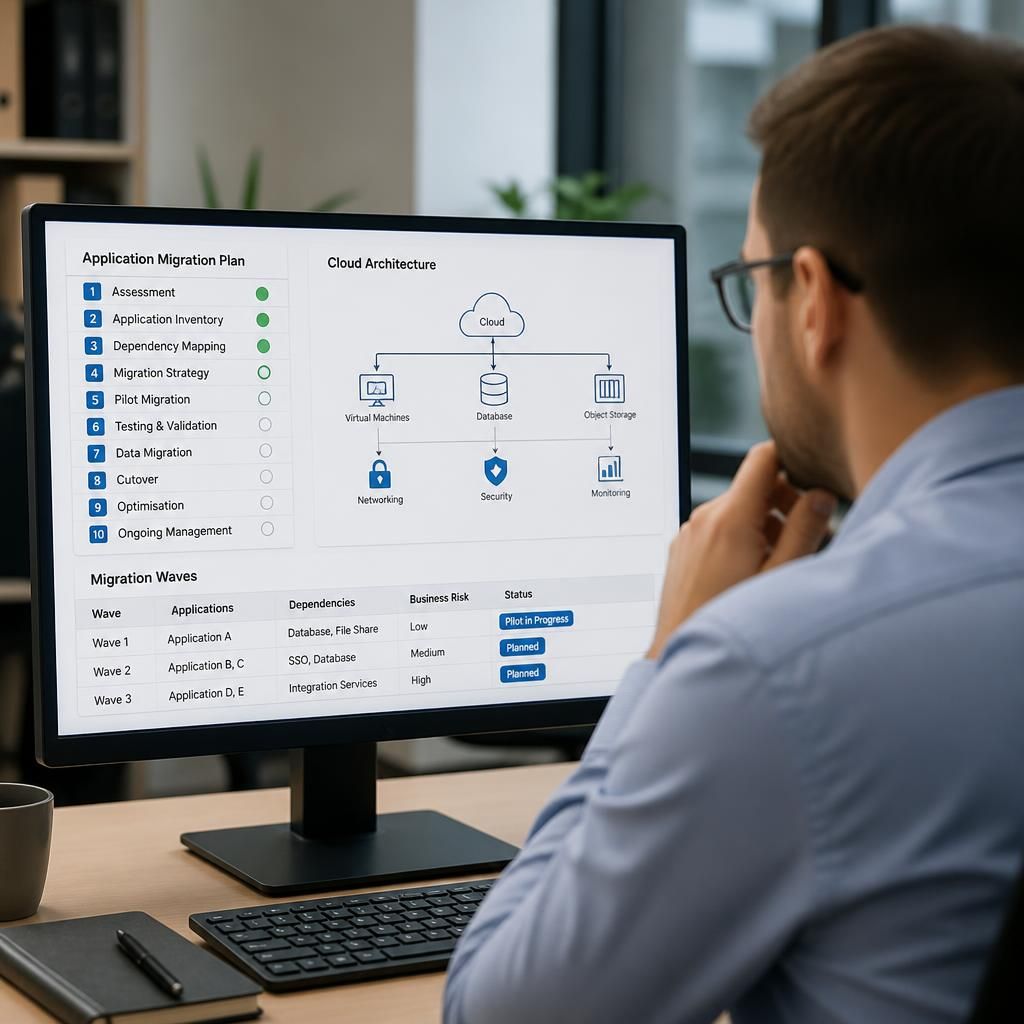
A pilot migration should be representative rather than simply the easiest application to move. Choose a system that reflects the technical dependencies, user roles and workload found elsewhere in the application estate, but avoid starting with the organisation’s most business-critical platform. The pilot can reveal design issues before they affect a larger group of users.
Use the pilot to establish clear go/no-go criteria for later migration waves. These might include acceptable performance, successful completion of essential workflows, accurate data reconciliation and manageable support requirements. Group subsequent applications by their dependencies and business risk, so that systems requiring the same identity, database or integration components can be coordinated instead of moved in isolation.