

Can managed IT support scale as a business grows?
Yes. Managed IT support can scale with a business by adjusting services, security controls and infrastructure as user numbers, locations, applications and operational requirements change. S2 Technology Group can help growing organisations review their technology needs and develop a more secure, manageable IT environment without relying solely on an expanding in-house team.
Managed IT support scales when it is designed around changing business requirements rather than a fixed list of devices or users. As an organisation grows, the support model should be able to accommodate new employees, offices, applications, suppliers, compliance obligations and security risks without creating unmanaged gaps or unnecessary complexity.
Scalability involves more than adding user accounts
A growing business may need additional laptops, mobile devices, cloud services, network capacity and access permissions. It may also introduce new departments, acquire another organisation, open a site or change the way staff work. Each change affects support requirements and the controls needed to protect business information.
A scalable managed service considers the whole technology environment, including:
- Users, devices and operating systems
- Office networks, wireless connectivity and remote access
- Cloud platforms, file storage and business applications
- Identity, authentication and access permissions
- Backups, monitoring and recovery arrangements
- Cybersecurity policies and staff awareness
- Third-party suppliers and systems that exchange data
This broader view helps prevent a business from expanding its user base while retaining processes that were only suitable for a much smaller organisation.
Capacity should be planned before it becomes a constraint
Scaling is easier when technology requirements are reviewed before a major change takes place. A useful review identifies expected recruitment, new locations, application changes, storage requirements, connectivity needs and any operational dependencies. It can then distinguish between immediate requirements and infrastructure that should be prepared for later growth.
For example, adding employees may require more than purchasing equipment. New starters need suitable accounts, security settings, application access and clear ownership of their devices. If a business expands across multiple sites, it may also need consistent network configuration, secure connections between locations and a central approach to managing permissions and support requests.
Capacity planning should be revisited when the organisation changes materially. This reduces the risk of making urgent technology decisions without understanding how they will affect security, performance, support workload or future expansion.
Standardisation makes larger environments easier to manage
Growth often exposes inconsistencies that were manageable at a smaller scale. Devices may run different configurations, users may have varying levels of access, and teams may adopt applications without a clear process. These differences increase the effort required to troubleshoot faults and make it harder to apply security controls consistently.
A managed IT service can support a more standardised environment by defining approved equipment, software, configurations and access methods. Standardisation does not mean every employee or department must work in exactly the same way. It means that justified variations are documented, controlled and supported rather than developing informally.
Benefits of a standardised approach include:
- More predictable device deployment and replacement
- Consistent application of updates and security settings
- Clearer troubleshooting procedures
- Simpler onboarding and offboarding
- More reliable reporting on the technology estate
- Fewer unsupported or unknown systems
These benefits become increasingly important as the number of users, locations and applications increases.
Security controls must grow with access and complexity
Business growth usually creates more accounts, more data and more opportunities for inappropriate access. A scalable support arrangement therefore treats cybersecurity as an ongoing part of service design, not as a separate measure added after expansion has taken place.
Relevant controls may include multi-factor authentication, least-privilege access, device protection, secure remote access, patch management, backup monitoring and regular review of administrator permissions. The appropriate controls depend on the systems used, the sensitivity of the information held and the organisation’s operational requirements.
Access should also be linked to a person’s role and reviewed when that role changes. Without this discipline, permissions can accumulate as employees move between departments or take on additional responsibilities. Joiner, mover and leaver processes help ensure that access is created, changed and removed in a controlled way.
Cloud services can support growth, but they still require governance
Cloud platforms can make it easier to add users, services and storage without purchasing all supporting infrastructure directly. However, cloud adoption does not remove the need for planning. Licences, data ownership, retention, identity management, configuration and supplier dependencies all need to be understood.
A managed IT provider may help define how cloud services are selected, configured and reviewed. This can include checking whether licences match actual use, confirming who can access shared information, monitoring security settings and documenting how data is recovered if an account or service becomes unavailable.
Cloud services should also be assessed as part of the wider environment. A business may rely on several applications that share accounts or data, so changing one service can affect workflows elsewhere. Documenting these relationships helps reduce disruption when the business adds or replaces systems.
The support model should accommodate different types of change
Not all growth follows the same pattern. A business may expand gradually, recruit several employees at once, open a new location, merge with another organisation or move to a different application platform. Each scenario creates different technical and administrative demands.
A scalable service should therefore include agreed processes for common changes, such as:
- Provisioning and configuring new devices
- Creating and modifying user access
- Adding or removing locations
- Introducing new software
- Changing network or connectivity arrangements
- Transferring data between systems
- Retiring old equipment and accounts
For larger changes, the work should be planned as a project rather than treated as a series of unrelated support tickets. The plan should identify dependencies, responsibilities, testing requirements, user communication and rollback options where appropriate.
Costs and service scope should remain transparent
As an organisation grows, the resources required to support it may change. A managed service should make clear what is included, what is charged separately and which changes require project work. This allows the business to assess the effect of growth on its technology budget without assuming that every requirement is covered by the existing arrangement.
Service reviews can examine user numbers, device types, locations, applications, security requirements and support trends. They can also identify unused services, duplicated tools or ageing equipment. The aim is not simply to add more technology, but to keep the environment appropriate to the organisation’s current size and operating model.
Governance prevents growth from creating unmanaged risk
Documentation becomes more valuable as the environment becomes more complex. Records should cover assets, users, suppliers, systems, configurations, permissions, dependencies and significant changes. This gives the business and its IT support provider a shared reference point for making decisions.
Regular service reviews can then consider whether the environment remains fit for purpose. Useful questions include:
- Are new systems being introduced through an agreed process?
- Are access permissions still appropriate?
- Are backups and recovery arrangements aligned with business needs?
- Are there unsupported devices, applications or suppliers?
- Can new sites and users be incorporated without weakening security?
- Which recurring faults indicate a need for a wider improvement?
For S2 Technology Group, this type of review forms part of helping small and medium-sized organisations manage technology as they develop. The precise support arrangement should reflect the organisation’s systems, risk profile and plans rather than applying the same configuration to every business.
What to check when assessing scalability
Before appointing or reviewing a managed IT provider, ask how the service handles expansion in users, devices, locations and applications. Clarify how onboarding is managed, how changes are documented, how security controls are reviewed and how project work is separated from routine support.
It is also worth checking whether the provider can support both day-to-day administration and longer-term planning. A service that only resolves individual faults may not identify recurring capacity, configuration or governance problems. Scalable support combines operational management with structured reviews, so the technology environment can develop without losing control of security, access or accountability.
Scalable managed IT support should allow new technology to be introduced in stages, rather than applying untested changes across the whole organisation. This is particularly important when a growing business adopts a new application, changes a workflow or connects systems across multiple locations.
A practical approach is to assess the proposed change, test it with a representative group and confirm that it works with existing security, identity and data arrangements. Feedback from the pilot can then be used to refine configuration, user guidance and support procedures before wider deployment. Clear acceptance criteria should define what must work, which risks are acceptable and when the change should be paused.
This process reduces the chance that growth creates a collection of temporary fixes or incompatible tools. It also gives the managed IT provider and the business a repeatable method for introducing future services while retaining control over the wider IT environment.
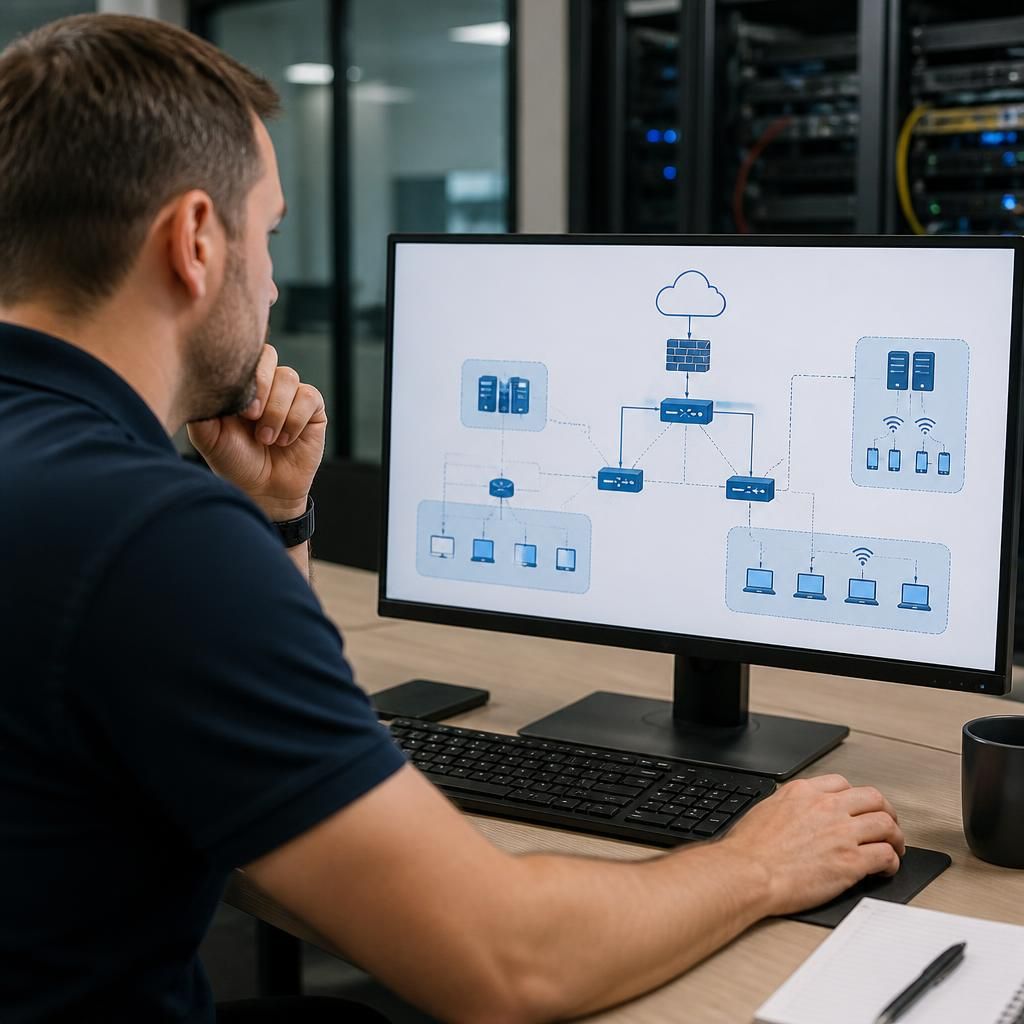
Discuss How Managed IT Support Can Scale With Your Business
Review how your current IT support would accommodate planned changes in users, locations and systems. Contact S2 Technology Group to discuss your requirements and identify where managed IT support could provide a more structured foundation for growth.