What ticket categories should an IT service desk use?
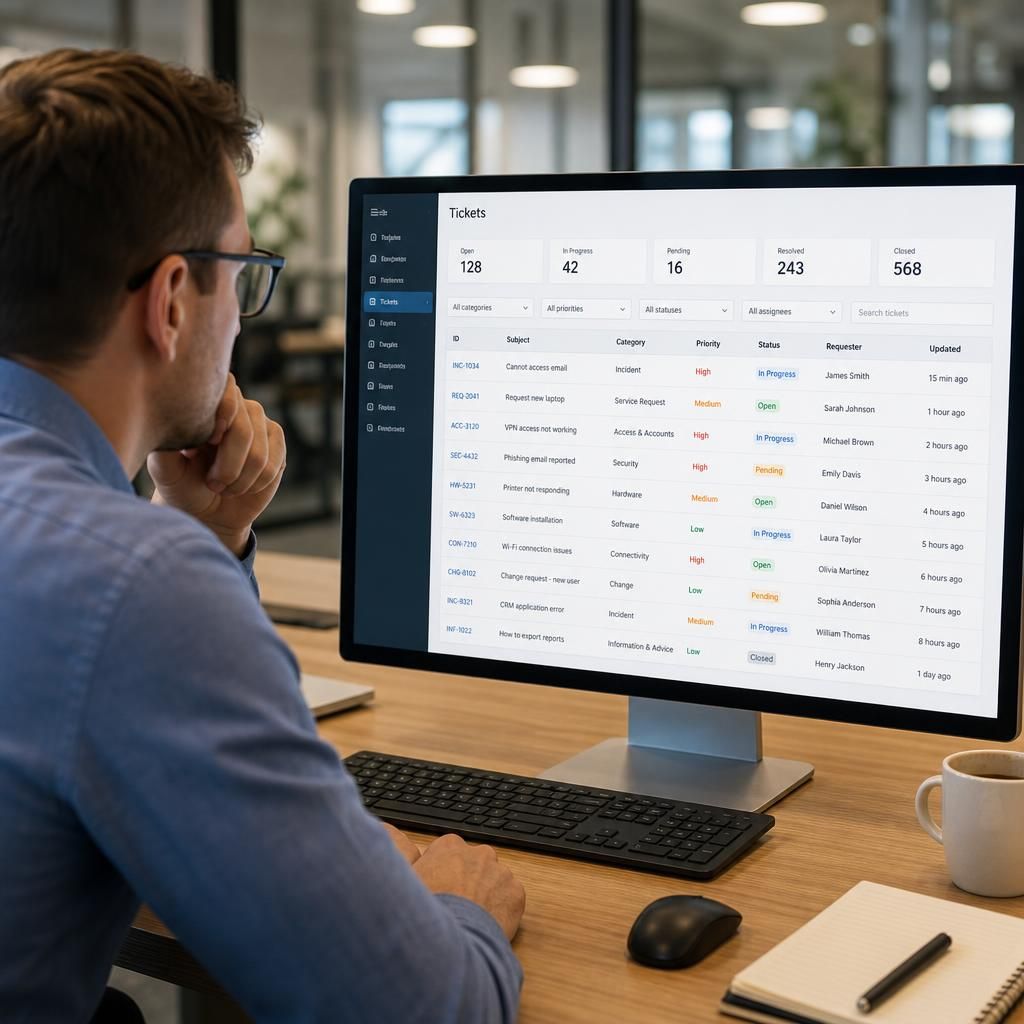
An IT service desk should use clear categories such as incidents, service requests, access and account issues, security concerns, hardware, software, connectivity, and planned changes. Keep the list focused, define each category precisely, and use subcategories only where they improve routing, reporting or escalation.
A well-designed IT service desk category structure should help users describe their need, route tickets to the right team and produce useful management information. The most effective model uses a small number of user-friendly top-level categories, supported by carefully chosen subcategories and issue types.
Start with the type of work
Separating the nature of the ticket from the affected technology usually produces the clearest structure. A practical service desk can distinguish between:
- Incident: an unplanned interruption or reduction in the quality of an existing service, such as a failed laptop, unavailable application or lost network connection.
- Service request: a standard request for something new or approved, such as software installation, equipment, information or a new account.
- Access and identity: password problems, authentication failures, permissions, account changes and joiner, mover or leaver tasks.
- Security: suspected phishing, malware, lost devices, suspicious activity, data exposure and other potential security events.
- Change: a planned alteration to a system, device, configuration or service. Routine changes may follow a standard procedure, while higher-risk changes need assessment and approval.
- Information or advice: questions about using a system, policy, process or technology where no fault or fulfilment task exists.
These types answer what the user needs from the service desk. A second level can then identify what is affected, such as hardware, software, connectivity, cloud services, telephony or printing.
Use categories that reflect the user’s language
Users should not need to understand the service desk’s internal structure before submitting a ticket. Labels such as “I cannot sign in”, “my laptop is not working” or “I need access to a shared folder” are often more useful than technical terms such as identity management, endpoint failure or authorisation control. Internal teams can retain more technical classifications after triage without making the initial form difficult to complete.
Category names should also be mutually distinct wherever possible. If “software problem”, “application issue” and “cloud application fault” overlap, users and analysts will classify the same problem inconsistently. Define each option with a short explanation and provide an “other” route for cases that do not fit. Review those uncategorised tickets to determine whether a genuine recurring category is missing.
Separate the category from priority and impact
Category describes the subject or type of work; it should not be used as a substitute for urgency, business impact or priority. For example, a connectivity incident could affect one employee or prevent an entire site from operating. A security ticket may require a different escalation path, but not every security-related request has the same business impact.
Keep separate fields for factors such as affected users, affected locations, operational impact, data sensitivity, urgency and service criticality. This allows the service desk to route and prioritise tickets consistently without creating categories such as “high-priority network issue” that combine several unrelated decisions.
Build categories around routing and ownership
Every category should have a practical purpose. It may determine the queue receiving the ticket, the assignment group, the required approval, the response template, the knowledge articles suggested to the analyst or the escalation route. If a category does not change any action, report or decision, it may add unnecessary complexity.
For example, an access request might require manager or system-owner approval, whereas a suspected phishing message should be routed for security assessment. A hardware incident may need asset details and repair handling, while a software request may require licence or approval information. The category should support these workflows without attempting to contain every detail in its name.
Use subcategories selectively
Subcategories are useful when they improve assignment, diagnosis or reporting. A connectivity category might be divided into wireless, wired network, remote access and internet service. A hardware category might include laptop, desktop, monitor, printer and mobile device. A security category might distinguish phishing, malware, lost equipment and suspected data disclosure.
Do not create a separate subcategory for every application, device model or symptom unless that distinction leads to different handling. Excessive levels make forms slower to complete and encourage inaccurate selections. Where an organisation has many applications, a separate “affected service” field or asset field may be more maintainable than a long category tree.
Include fields that categories cannot capture
Categories should not carry all the information needed to resolve a ticket. Complement them with structured fields for:
- the affected user, device, asset or service;
- the location or site involved;
- the number of people affected;
- the business process affected;
- the requested completion date, where relevant;
- security or data sensitivity indicators;
- approval details for controlled requests; and
- links to related incidents, changes or problems.
This approach keeps the category list stable while allowing the service desk to collect the context needed for diagnosis, authorisation and reporting.
Account for recurring and major issues
A recurring fault may begin as an incident category, but repeated incidents should be linked to a problem record or known error where appropriate. Similarly, a widespread outage should retain its affected service and incident classification while also being marked as a major incident if it meets the organisation’s defined criteria. This avoids distorting category reports with special labels that are really measures of scale or management response.
Review the taxonomy using ticket data
Category design should be tested against real tickets rather than treated as a one-off configuration task. Review miscategorised tickets, frequent use of “other”, tickets repeatedly reassigned between teams and categories that produce no meaningful reporting. These patterns can reveal unclear wording, missing options, poor form design or a routing rule that needs adjustment.
Keep the user-facing list stable enough for people to learn, and change it only when the evidence justifies doing so. Record definitions and ownership for each category so that service desk analysts apply them consistently. A concise taxonomy with clear rules is generally more valuable than a detailed taxonomy that users and analysts interpret differently.
For a small or medium-sized organisation, this structure can provide a sound starting point: classify the work as an incident, request, access matter, security matter, change or information query; identify the affected service or asset; then capture impact, urgency and approval requirements separately. S2 Technology Group can use this type of framework when helping businesses organise IT support processes around reliable routing, secure handling and useful service reporting.
Ticket categories describe the work as it is presented to the service desk; they should not be confused with the eventual cause or resolution. An employee may report an “application problem”, but investigation could show that the underlying issue was an expired account, a network fault or an incorrect configuration.
For accurate analysis, retain the original category and record the confirmed cause, action taken and closure code separately. This helps distinguish the demand users are reporting from the technical reasons behind it. Over time, the comparison can highlight recurring faults, gaps in user guidance and opportunities for preventive maintenance without continually changing the category structure.