

How should businesses plan connectivity for remote workers?
Businesses should plan remote-worker connectivity around secure access, sufficient capacity, dependable authentication and clear controls for company data and devices. The plan should also account for different home networks, cloud applications and continuity requirements, then be reviewed as the organisation’s workforce and technology change.
Businesses should plan remote-worker connectivity as a complete access service, not simply as a way to extend the office network into employees’ homes. The design should match each role to the applications, data and collaboration tools it needs, while defining how users and devices are authenticated, how traffic is protected, and what happens when a home connection or access service is unsuitable.
Start with a usage and risk assessment. Identify which employees work remotely, which locations they use, and what tasks they perform. A user who mainly accesses cloud-based email and document services has different requirements from someone connecting to on-premises file stores, specialist applications, voice services or systems hosted at another site. Record the sensitivity of the data involved, whether access is needed from unmanaged devices, and whether the work can continue if a particular application is unavailable.
This assessment helps avoid giving every user the same access by default. Access can instead be based on job role, business need and the sensitivity of the systems involved. It also highlights dependencies that may be missed in a simple remote-access project, such as identity services, domain controllers, software licensing, printing, telephony and internal DNS.
Choose an access architecture that fits the applications. A traditional virtual private network can route authenticated users into selected business networks, but it may provide broader network reach than an individual role requires. Application-level access, sometimes delivered through a zero-trust model, can restrict connectivity to named services and evaluate the user, device and request before allowing access. A hosted desktop or remote application service may be appropriate where data should remain within a controlled environment rather than being stored on a home computer.
These options are not interchangeable. A VPN may be practical for established internal applications, while cloud-native access controls may suit software delivered directly over the internet. A business should document why each method is being used, which systems it exposes, and how it will be removed or changed when the underlying requirement ends.
Assess the real performance requirement. Download speed is only one part of a remote-work connection. Upload capacity affects file synchronisation, video meetings and sending large documents. Latency influences interactive applications, while packet loss and jitter can affect voice and video quality even where a speed test appears satisfactory. Concurrent use in a household can also compete with business traffic.
Test the applications that employees actually use rather than relying solely on a broadband supplier’s advertised rate. Consider how many remote sessions may operate at the same time, when large synchronisation jobs occur, and whether traffic should be prioritised. Quality of Service can help manage contention for voice or other sensitive traffic, but it cannot compensate for an inadequate underlying connection.
Decide how traffic should be routed. With full-tunnel access, business traffic and often general internet traffic pass through centrally managed security controls. This can simplify policy enforcement and inspection, but it increases demand on gateways and office or cloud connectivity. Split tunnelling sends selected business traffic through the corporate security path while allowing other internet traffic to use the worker’s local connection. This can reduce central congestion, but it requires careful rules so that sensitive traffic does not bypass required controls.
The decision should be documented for each access service. Include the treatment of software updates, cloud platforms, voice and video traffic, private applications and administrative connections. Changes to routing should be tested with representative users because an apparently minor change can affect name resolution, authentication or application behaviour.
Define device and identity requirements. Remote access should distinguish between a known, managed device and an unmanaged personal device. Managed equipment can be subject to encryption, supported software versions, endpoint protection, screen-lock rules and remote removal of business data. If personal devices are permitted, set clear boundaries for which services they may use and how data can be copied, downloaded or synchronised.
Identity controls should cover multi-factor authentication, conditional access, privileged accounts and the prompt removal of access when a person changes role or leaves the organisation. Separate administrator access from ordinary user access, and ensure that authentication services do not depend on the same failed component that remote workers are trying to reach. Keep recovery methods controlled and documented rather than relying on informal workarounds.
Plan the home-network boundary. A business generally cannot manage an employee’s domestic router in the same way as its own equipment, so the design should assume variation in router quality, wireless coverage, firmware and household usage. Give users practical guidance on securing their wireless network, positioning equipment, connecting business devices and reporting suspected compromise. Where work is particularly sensitive, consider whether a managed connection, separate network segment or company-provided equipment is warranted.
Do not treat a home connection as the only continuity option. Identify which roles require an alternative route, such as another approved connection or mobile access, and define the security conditions for using it. The alternative must be tested with the relevant applications; simply having a second connection does not prove that it can support business work.
Build resilience around dependencies. Document the components required for remote access, including identity providers, authentication services, gateways, firewalls, certificates, DNS, internet links and cloud control planes. For each dependency, record its owner, renewal requirements, administrative access and recovery procedure. If a service fails, staff should know which work can continue through another route and which activities must wait for restoration.
Recovery instructions should be usable without relying on the unavailable system. Keep securely controlled offline or separately hosted copies of essential configuration information, emergency contacts and access procedures. Test restoration and access revocation rather than assuming that documented steps will work under pressure.
Make monitoring proportionate and useful. Monitor connection health, gateway capacity, authentication failures, unusual access patterns and application performance. Separate a user’s home broadband problem from a corporate service problem by collecting enough diagnostic information to compare the two. Monitoring should support troubleshooting and security investigation without collecting more personal information than the business needs.
Set out who reviews alerts, how incidents are escalated and how long relevant logs are retained. Connectivity monitoring should complement, not replace, endpoint protection, vulnerability management and access reviews. Repeated failures may indicate an architectural issue rather than an individual user error.
Test before widespread deployment. Use representative roles, devices, operating systems, locations and applications. Test first-time enrolment, authentication failure, password or token recovery, loss of the primary connection, access from a restricted device, large file transfers, video meetings and simultaneous sessions. Confirm that users can reach what they need and cannot reach systems outside their authorisation.
After testing, record the approved configuration, known limitations and support process. Provide concise user instructions covering connection setup, safe working practices, reporting of suspicious prompts and what information to include when seeking technical help. Review the design after significant changes to applications, office networks, security policies or workforce arrangements.
A managed IT provider such as S2 Technology Group can help organisations assess these dependencies, design secure remote-access arrangements and align connectivity with wider cloud, cyber security and network requirements. The important outcome is a documented, tested service that remains appropriate as the organisation’s roles, applications and working locations develop.
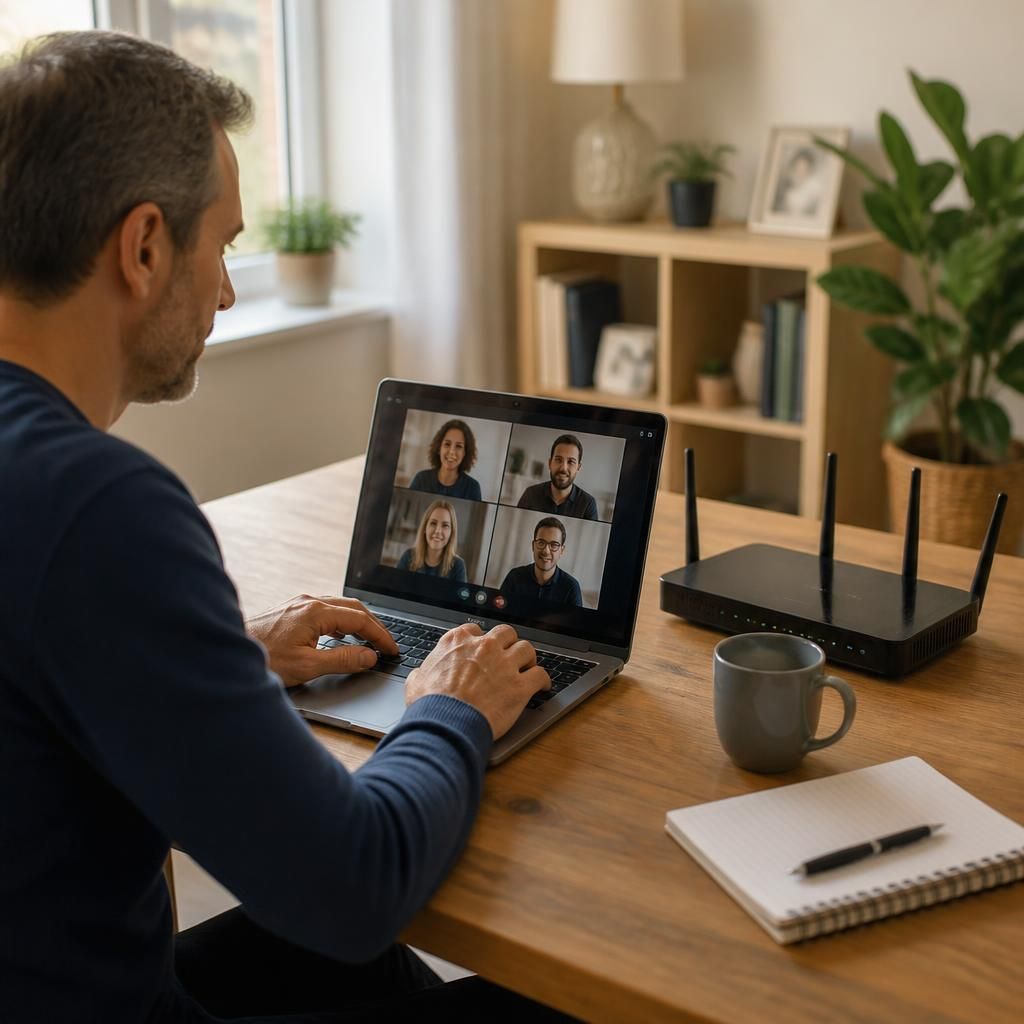
Remote-worker connectivity plans should also cover temporary locations such as hotels, coworking spaces and client premises, where the organisation cannot control the local network. Business rules should state whether public Wi-Fi is permitted for different types of work and which safeguards apply before a user connects.
For sensitive systems, require an enrolled business device, multi-factor authentication and approved access controls rather than relying on the security of the local network. Users should disable automatic connection to unknown wireless networks, avoid transferring business data through shared computers and report unexpected sign-in prompts or certificate warnings. These rules give employees a practical way to work from changing locations without treating every network as equally trustworthy.