
What is the difference between managed backup and self-managed backup?
Managed backup is overseen by a service provider that configures, monitors and maintains the backup process, whereas self-managed backup leaves those responsibilities with the organisation’s own staff. Self-managed systems may offer greater direct control, but the organisation must also identify failures, maintain configurations, manage retention and verify that data can be recovered.
Managed backup and self-managed backup differ mainly in who owns the operational responsibility for protecting and recovering business data. With managed backup, an external provider takes an active role in designing and operating the service. With self-managed backup, the organisation owns the technology, procedures and decisions internally. The distinction is therefore broader than the backup software itself: it affects accountability, skills, oversight, recovery readiness and the organisation’s ability to maintain protection as its systems change.
Managed backup normally begins with an assessment of the data, systems and recovery requirements that need to be covered. The service can then be structured around appropriate backup schedules, storage locations, retention rules and recovery methods. The provider remains involved in the service’s operation, helping ensure that changes such as new servers, applications, users or cloud workloads are considered rather than being left outside the backup scope.
Self-managed backup gives the organisation direct ownership of these decisions. This can be appropriate where there is sufficient internal expertise, clearly assigned responsibility and enough time to operate the backup environment properly. However, ownership also includes maintaining the backup design, reviewing alerts, applying updates, checking storage capacity, documenting procedures and confirming that recovery methods remain suitable as the business changes.
The main differences can be assessed across several areas:
- Accountability: a managed arrangement establishes an external operational role alongside the organisation’s own responsibility for deciding what data must be protected. In a self-managed arrangement, these duties remain entirely within the business.
- Technical expertise: self-managed backup requires staff who understand the organisation’s infrastructure, backup dependencies, storage, permissions and recovery process. Managed backup provides access to specialist operational knowledge, although the business still needs to communicate changes and approve important decisions.
- Consistency: a managed service uses defined procedures for reviewing backup activity and dealing with exceptions. Self-managed protection can work well, but its reliability may depend on whether assigned staff have sufficient time and whether responsibilities are documented and followed consistently.
- Operational visibility: managed arrangements usually include service reporting and review processes that help identify trends, recurring issues or gaps in coverage. With self-managed backup, the organisation must create and maintain its own reporting and review approach.
- Recovery readiness: having backup copies does not by itself demonstrate that a business can restore the required data. Both models need planned recovery procedures, suitable documentation and regular testing. In a self-managed model, internal staff must organise and record this work; in a managed model, the provider can support the process and provide operational guidance.
- Scalability: as data volumes and workloads grow, backup policies, storage and network requirements may need to change. A managed service can provide structured support for those changes, while a self-managed environment requires the organisation to plan and implement them internally.
There are also important differences in risk. Self-managed backup can create a single point of failure when one employee understands the configuration or recovery process. It can also be overlooked during busy periods, staff changes or infrastructure projects. A managed approach can reduce reliance on one internal individual by providing documented processes and an additional operational perspective, but it does not remove the need for the business to maintain accurate information about its systems and data.
Security responsibilities should be examined separately from backup frequency. A comparison should consider who can administer the backup system, how privileged access is controlled, how backup data is protected from unauthorised alteration or deletion, and how access is reviewed. Self-managed backup may offer direct control, but the organisation must design and enforce these safeguards. Managed backup can provide established controls and oversight, subject to the provider’s service design and the permissions granted to each party.
Cost is another point of difference, but it should not be judged only by comparing software licences or storage charges. Self-managed backup also consumes internal staff time and requires the business to maintain the necessary knowledge, infrastructure and procedures. Managed backup introduces a service cost, while potentially making those operational responsibilities more predictable. The relevant comparison is the total cost of operating, monitoring, testing and recovering the backup environment, not simply the purchase price of the technology.
A self-managed model may be suitable when an organisation has dedicated technical staff, well-documented systems and a mature testing process. Managed backup is often more appropriate when the business has limited internal IT capacity, operates across multiple environments, or needs an accountable operational process without building every capability in-house. Some organisations use a blended approach, retaining ownership of backup policy while obtaining external support for monitoring, maintenance, reporting or recovery exercises.
Before choosing between the two, an organisation should ask:
- Who is responsible for each part of the backup and recovery process?
- How are failed, incomplete or unusual backup jobs identified and investigated?
- How are new systems and changing data sources added to protection?
- Who can perform a recovery, and is the procedure documented?
- How often are recovery tests carried out and recorded?
- How are administrative access, retention and backup storage reviewed?
- What happens if the person responsible internally is unavailable or leaves the organisation?
S2 Technology Group helps businesses assess whether their backup responsibilities, controls and recovery procedures match their operational needs. The right choice is not simply between an external provider and internal ownership; it is between a backup process with clearly managed accountability and one where important tasks may be assumed rather than actively maintained.
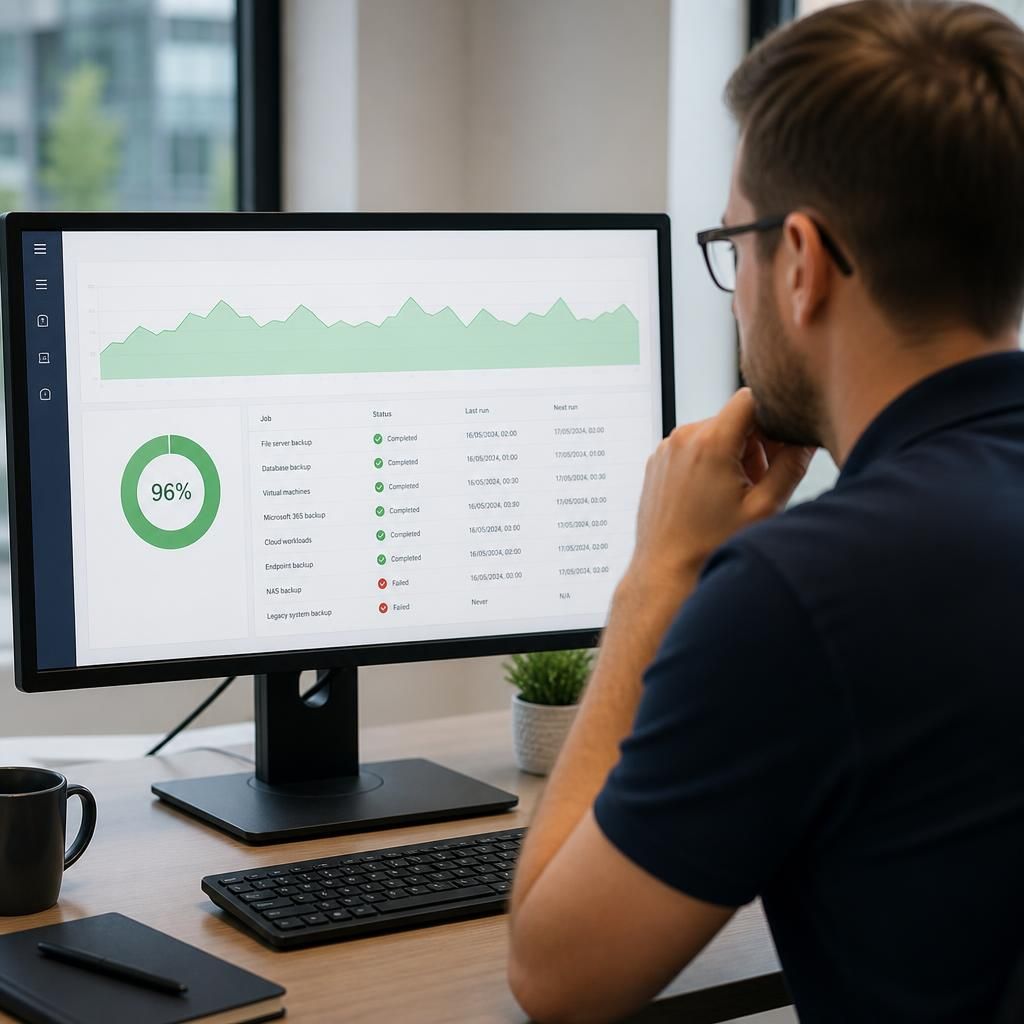
The most important practical difference between managed and self-managed backup is how clearly the protection boundary is defined. A managed service should specify which servers, applications, cloud workloads, user data and endpoints are included, along with any exclusions and the recovery support provided. Without this detail, an organisation may assume that a system is protected when it is outside the agreed backup scope.
Before choosing either model, document the data sources that require protection and identify dependencies such as databases, applications, identity services and configuration data. For managed backup, check how additions, exclusions and changes to the environment are recorded. For self-managed backup, assign responsibility for maintaining this record internally. This makes the comparison more meaningful than judging the two options by software features alone.
A useful assessment should also establish what evidence each model produces. This may include backup activity records, exception reports, configuration documentation and recovery-test results. The aim is to show not only that backup jobs exist, but that the organisation can demonstrate what is protected, who owns each task and whether the arrangement remains suitable as its technology changes.
Assess Your Backup Management Options
Review your current backup responsibilities, recovery evidence and protection scope to identify any gaps between your documented process and operational needs. Contact S2 Technology Group to discuss the most suitable managed backup approach for your organisation.