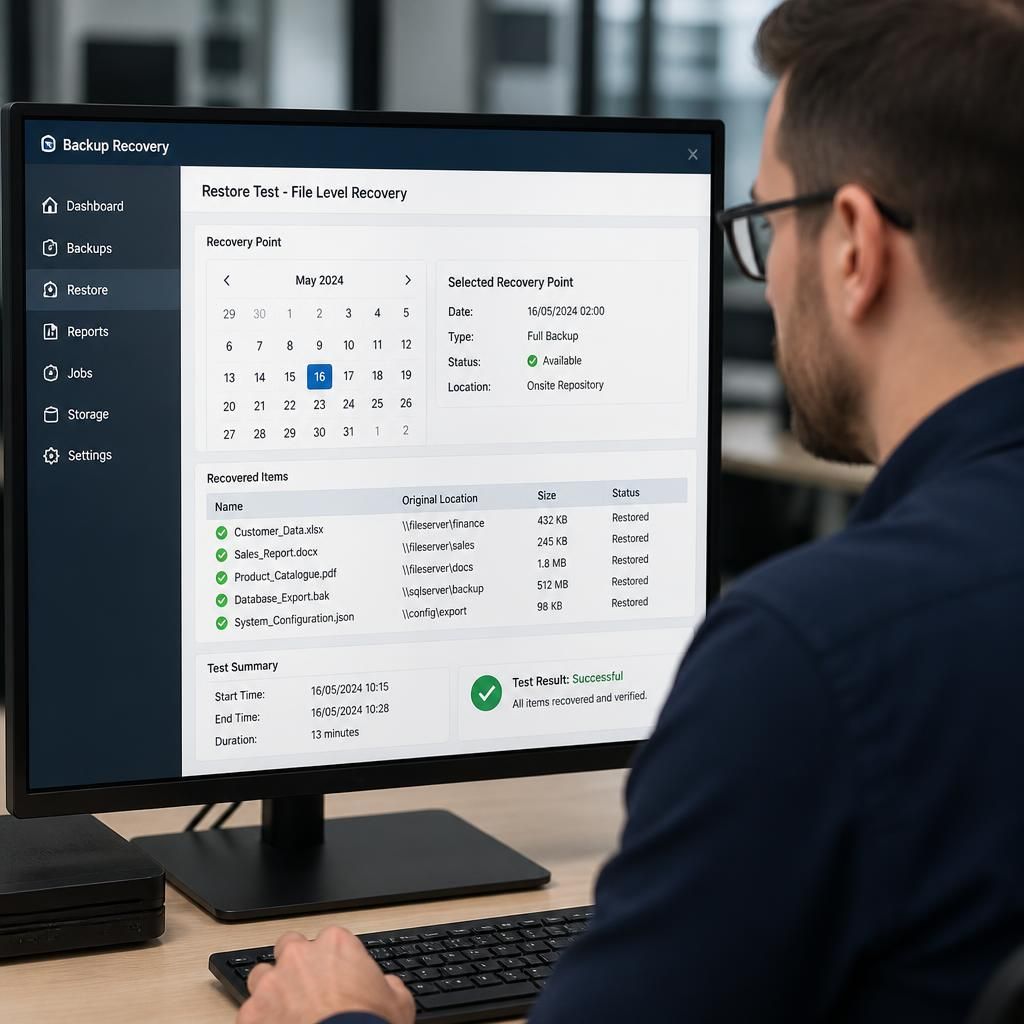
How are business backups tested for successful recovery?
Business backups are tested by restoring selected files, applications and complete systems in a controlled environment, then checking that the data is intact and usable. Regular recovery tests should record the results, identify any gaps and confirm that documented recovery procedures work as intended.
Business backups are tested for successful recovery through planned exercises that verify both the technical restoration and the business usability of the result. A backup job showing as complete is not sufficient evidence: a proper test confirms that the required data, systems, permissions, configurations and dependencies can be brought back into service against the organisation’s recovery requirements.
The process should begin with a documented recovery scenario. This defines what has been lost, which services are affected, the order in which they must be recovered and the conditions that determine whether the exercise has passed. Scenarios may include accidental deletion, a failed server, corrupted data, a ransomware incident or the loss of a site. Each scenario tests different assumptions, so relying on one type of exercise can leave gaps.
A useful recovery test normally includes the following checks:
- Backup selection: confirm that the required recovery point is available and that the backup has not been excluded, overwritten or retained in an unsuitable format.
- Data integrity: check that recovered files open correctly, contain expected information and have not been altered or truncated.
- Application operation: verify that important business applications start, connect to their databases and perform representative tasks rather than merely appearing to install successfully.
- System dependencies: test related services such as identity management, DNS, network access, storage, databases, certificates and authentication. A restored application may fail if these supporting services are unavailable.
- Permissions: confirm that users and administrators have the correct access, while unauthorised users cannot view recovered information.
- Business usability: ask an appropriate member of staff to complete normal tasks with the recovered data. Technical availability does not prove that the system is suitable for day-to-day work.
Testing should take place in a controlled environment where possible. A separate recovery network or isolated test system reduces the risk of overwriting production data, exposing sensitive information or allowing malicious code to spread. For a suspected cyber incident, recovered systems should be checked before they are connected to live services. The recovery environment should also use clean administrative credentials and carefully controlled access.
Different test methods provide different levels of assurance. A review of backup logs and automated integrity checks can identify failed jobs, unreadable media or incomplete copies, but these checks do not prove that a working service can be recovered. A file-level exercise confirms that individual information can be retrieved. A service-level exercise goes further by rebuilding the components needed for an important application. A full disaster recovery rehearsal examines the sequence, dependencies, responsibilities and communications involved in restoring a broader operating environment.
The test should measure recovery against previously agreed requirements. These may include how much recent data the organisation can afford to lose, how long a particular service can remain unavailable and which functions have priority. The test record should capture the recovery point used, start and finish times, systems involved, actions taken, errors encountered and the person responsible for each stage. It should also record whether the result met the defined requirements, rather than simply marking the exercise as complete.
Recovery procedures should be tested by the people expected to use them, not only by the person who created them. This can reveal undocumented knowledge, inaccessible credentials, unclear instructions or reliance on an individual’s memory. The exercise should also check that contact details, escalation routes, licensing information and supplier dependencies are available when production systems cannot be accessed.
Any failure needs a recorded corrective action. Examples include changing retention settings, protecting backup credentials, adding missing application data, correcting permissions, improving network capacity or rewriting an ambiguous procedure. The original issue should then be retested so that the organisation knows the fix works. A test that identifies a weakness but does not track its resolution provides limited assurance.
Testing should be repeated at an appropriate interval and whenever there is a significant change to infrastructure, applications, data, backup configuration or recovery procedures. Results from each exercise should be compared with earlier records to identify recurring problems. This turns backup testing into an ongoing control rather than a one-off demonstration.
For a small or medium-sized organisation, a practical test programme may combine automated backup verification, planned restoration exercises and wider recovery rehearsals. S2 Technology Group can help businesses around Stourbridge, Kinver, Wordsley, Kingswinford, Kidderminster, Halesowen, Dudley and neighbouring areas assess whether their backup arrangements support dependable recovery and identify weaknesses before a real incident exposes them.
A reliable backup test should use more than the most recent recovery point. Restore samples from different dates, including older retained versions, to check that the recovery history remains usable throughout the required retention period. This can reveal problems such as corruption being copied across successive backups or earlier versions being unavailable when they are needed.
Where data changes frequently, select representative files from different systems and compare the restored results with known source records. The test should confirm that version history, timestamps and linked information remain available, rather than checking only whether a single file can be opened.