
Can remote IT support manage software patching?
Yes. Remote IT support can manage software patching by identifying missing updates, assessing their relevance, scheduling deployments, and monitoring devices for installation failures or compatibility issues.
This approach helps maintain consistent patching across business systems while allowing exceptions to be reviewed before an update is applied.
Yes. Remote IT support can manage software patching effectively when it is governed by a documented policy, applied according to business risk and checked against the organisation’s systems after deployment. The remote element allows patches to be administered across distributed devices without requiring an engineer to visit each workplace, but effective patch management depends on more than simply approving updates.
A structured patching policy should define which systems are included, how updates are classified, who approves exceptions and how unsupported software is handled. Operating systems, business applications, browsers, security tools, servers and network-related software may all have different update requirements. The policy should also record which devices are business-critical, whether they support essential processes, and whether an update could affect compatibility with specialist applications.
Updates can then be prioritised according to factors such as the severity of the vulnerability, whether it is being actively exploited, the importance of the affected device and the availability of a workaround. A critical security update for an internet-facing system may require different treatment from a routine feature update on a standard office device. This risk-based approach helps avoid treating every patch as equally urgent while ensuring that significant security weaknesses are not overlooked.
Testing is an important control. Applying an update to a representative group of devices before wider deployment can reveal conflicts with line-of-business applications, drivers, settings or integrations. Testing does not need to delay every security update indefinitely; instead, the process should distinguish between patches that need rapid action and changes that warrant more extensive validation. Where a test environment is not available, a small pilot group of suitable devices may provide useful evidence before the update is extended more widely.
Remote patch management should also account for devices that are not permanently connected to the business network. Laptops used from home, travelling devices and equipment at separate premises may need to check in with the management platform before an update can be delivered. Devices that have not connected recently should be recorded for follow-up rather than being assumed to be patched. This is particularly relevant to organisations with multiple locations or a mixture of office-based and remote users.
Handling failures and exceptions is another part of effective patching. An installation may fail because a device is switched off, has insufficient storage, lacks a prerequisite update or is running incompatible software. A device may also need to be excluded temporarily because an application supplier has identified a known conflict. Each exception should have a clear reason, an owner and a review point. Otherwise, temporary exclusions can become permanent gaps in the organisation’s security controls.
Where an update causes an unexpected problem, the support process should provide a controlled response. This may involve stopping further deployment, removing the affected update where that is technically safe, restoring a previous configuration or applying a vendor-approved fix. Rollback is not available or appropriate for every update, so systems should be backed up or otherwise recoverable in line with their importance before significant changes are made.
Good patching also includes post-deployment checks. These may confirm that the device has restarted correctly, that required applications open, that security software remains active and that important services are functioning. Reports should distinguish between successfully updated devices, devices still awaiting action and devices requiring investigation. The resulting records can support internal reviews, risk assessments and requests for evidence from customers or other stakeholders.
Remote IT support is less suitable as the sole control where a device cannot connect, hardware is failing, an application requires physical intervention or an update affects equipment that must be accessed on site. In those situations, remote patch management can still identify the outstanding issue and provide a record for local technical work, but the final remediation may require someone at the premises.
For a small or medium-sized business, the practical objective is consistent and traceable patch governance: knowing which software is in use, understanding the risk of delaying an update, applying changes in a controlled way and investigating devices that fall outside the expected process. Remote IT support can provide the administration and oversight for this, while the organisation retains clear approval and risk decisions.
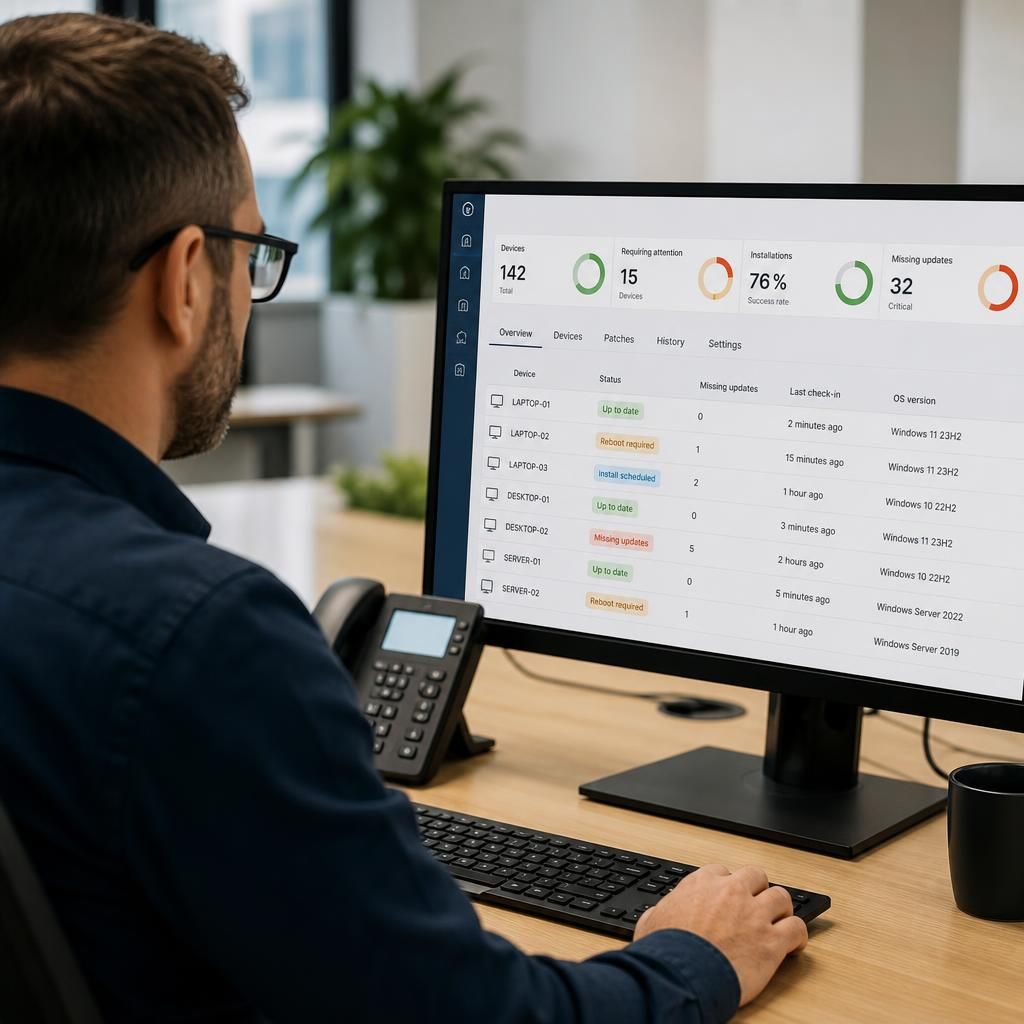
Remote IT support can manage the user-impact side of software patching as well as the technical deployment. Updates can be assigned maintenance windows, presented with restart warnings, and configured to avoid interrupting important work wherever the software allows it.
A controlled user experience is particularly important for laptops and shared workstations. Users may need time to save documents, close applications or complete a task before a restart takes place. Patching rules can set reasonable postponement limits while ensuring that an update is not deferred indefinitely. For systems used by several people, deployment can be coordinated around agreed periods of lower activity.
This approach helps separate routine user notifications from genuine patching exceptions. A user postponing a restart once is different from a device repeatedly refusing installation, and the management system should record those situations separately. That information gives the IT support provider a clearer basis for deciding whether to adjust the deployment schedule, investigate the device or involve the person responsible for the affected system.