How are users and extensions managed in a business VoIP phone system?
A business VoIP phone system manages users through individual accounts and extensions, with administrators assigning numbers, devices, permissions and calling features from a central platform. Call-routing rules can then direct calls to specific people, teams, departments or locations, while access controls help protect system settings and business communications.
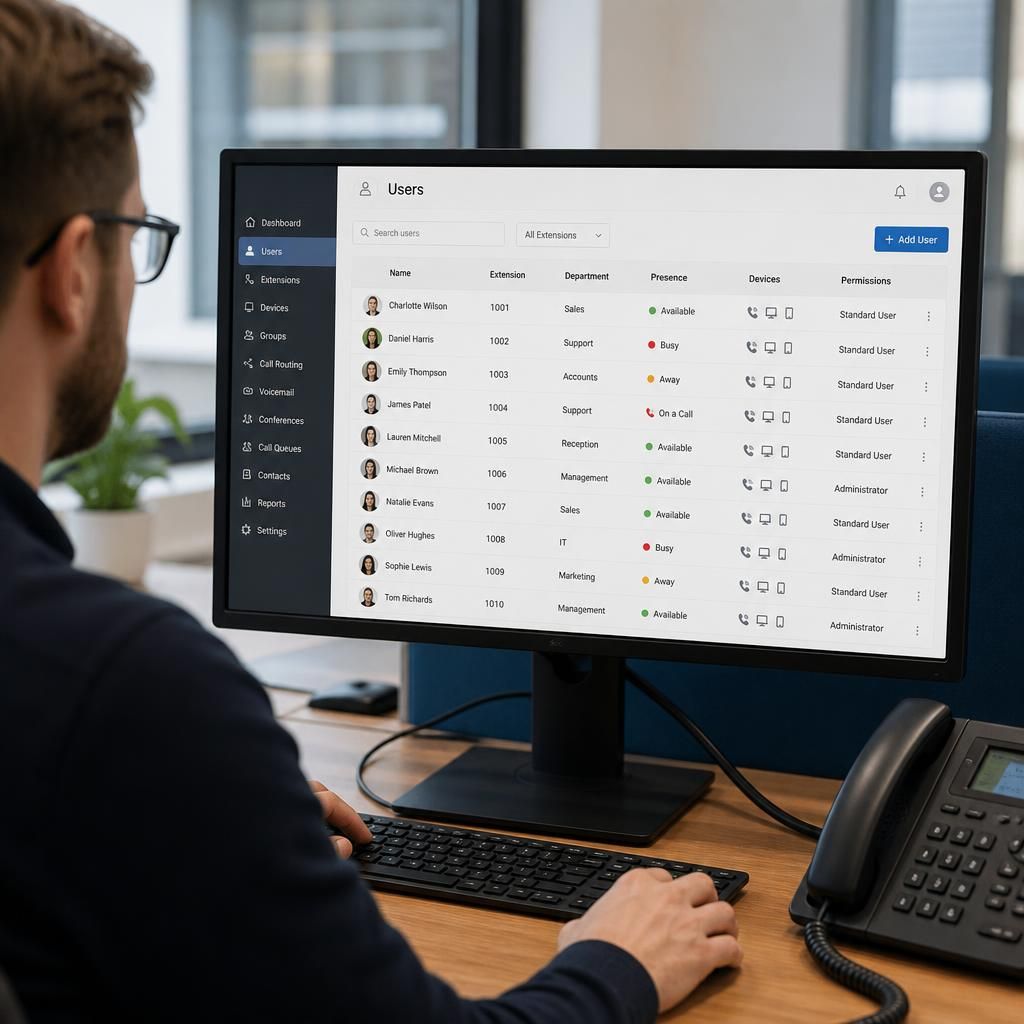
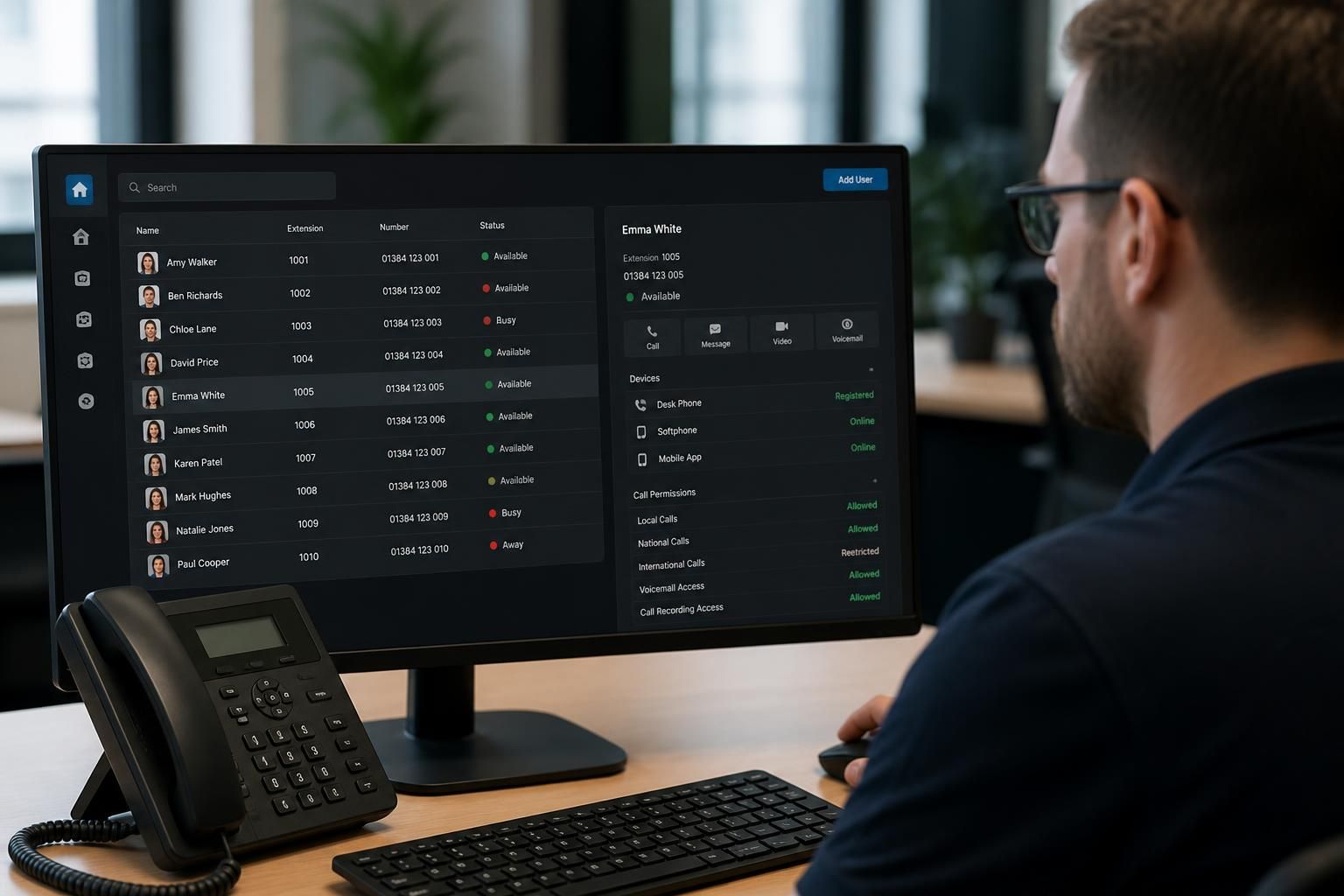
A business VoIP phone system manages people, numbers and devices as separate but linked records. Each employee can have an extension, one or more registered devices and a defined set of calling permissions, while administrators control how those records are created, changed, suspended and removed.
Users and extensions are not always the same thing. An extension usually identifies a destination within the organisation, whereas a user account identifies the person responsible for using it. This distinction allows a business to:
- Move an employee to another desk or device without changing their extension.
- Allow the same user to answer calls through a desk phone, computer application or mobile application.
- Assign a shared extension to a reception desk, meeting room or team.
- Retain a department extension when staff members change.
Administrators can normally create a user profile with details such as the employee’s name, extension, direct number, email address and assigned devices. The system may also record the user’s department, site, language or other attributes used when applying settings. Keeping this information accurate makes it easier to maintain directories, caller identification and reporting.
Device provisioning links approved equipment to the correct user. A desk phone or software phone may be registered against an account using administrator-controlled credentials, an activation process or a configuration service. If a device is replaced, access can be removed from the old equipment and assigned to the new one. This avoids treating a physical handset as the permanent identity of an employee.
Permissions determine what each user is allowed to do. A standard user might be able to make and receive calls, access voicemail and change personal preferences. A supervisor or administrator may additionally be allowed to manage team settings, call records, devices or system configuration. Permissions should follow the principle of least privilege: users receive the access needed for their role, but not unrestricted control of settings that could affect the wider organisation.
Calling permissions can be managed separately from administrative permissions. For example, an organisation may restrict international, premium-rate or other high-cost destinations for some users, while allowing authorised roles to make those calls. The system can also apply rules to outbound caller identification, call recording access, voicemail management and the use of mobile or remote applications, depending on the platform and its configuration.
Joiners, movers and leavers need a defined process. When someone joins, an administrator can create the account, allocate an extension, issue an approved device and apply the relevant permissions. When a role changes, the extension, team membership, device access and outbound calling rights can be reviewed together. When someone leaves, disabling the account and removing device registrations prevents continued access. Their number can then be reassigned, redirected or retained as a shared business contact without leaving an active personal account behind.
Shared extensions require particular care. A main reception number, sales line or support queue may be used by several people, but access should still be attributable to individual users where call records or recordings are involved. Businesses should decide who can answer the shared line, who can change its settings and what happens when a team member is absent or changes department.
Central administration also supports consistency. Standard profiles can be used for groups such as sales, management or customer service, with exceptions applied only where necessary. This reduces manual configuration and makes it easier to review whether users have the correct devices, permissions and numbers. Regular reviews are useful after organisational changes, office moves, device replacements and staff departures.
Security controls should cover both the account and the endpoint. Strong authentication, protected administrator credentials, controlled device registration and prompt removal of unused access reduce the risk of an account being misused. Call recordings, voicemail messages, contact data and call-detail records should also be restricted to people with a legitimate business need to view them.
A suitable management approach therefore combines a clear extension plan with documented ownership, role-based permissions, device controls and an offboarding procedure. S2 Technology Group can help businesses around Stourbridge, Kinver, Wordsley, Kingswinford, Kidderminster, Halesowen, Dudley and neighbouring areas assess these requirements when designing or reviewing a business VoIP phone system.
Presence management shows whether a user is available, busy, away or handling another call, allowing the business VoIP phone system to apply the appropriate treatment to incoming calls. This is separate from a user’s extension: the extension remains the destination, while presence indicates the user’s current ability to answer.
Users may update their status manually, or the system may change it when they are on a call or using a particular device. These states can control whether a call rings the user, moves to a colleague, enters a queue or goes to voicemail. A sensible configuration should distinguish between genuinely unavailable users and those who simply do not want interruptions, rather than applying the same rule to every status.
Administrators should also define who can view presence information and whether users can override centrally applied settings. Clear status labels, consistent team rules and regular checks help prevent calls being sent repeatedly to an unsuitable destination. For departments handling sensitive work, presence visibility may need to be limited so that colleagues can see routing information without exposing unnecessary personal details.