
How is Microsoft 365 Backup isolated from the Microsoft 365 tenant?
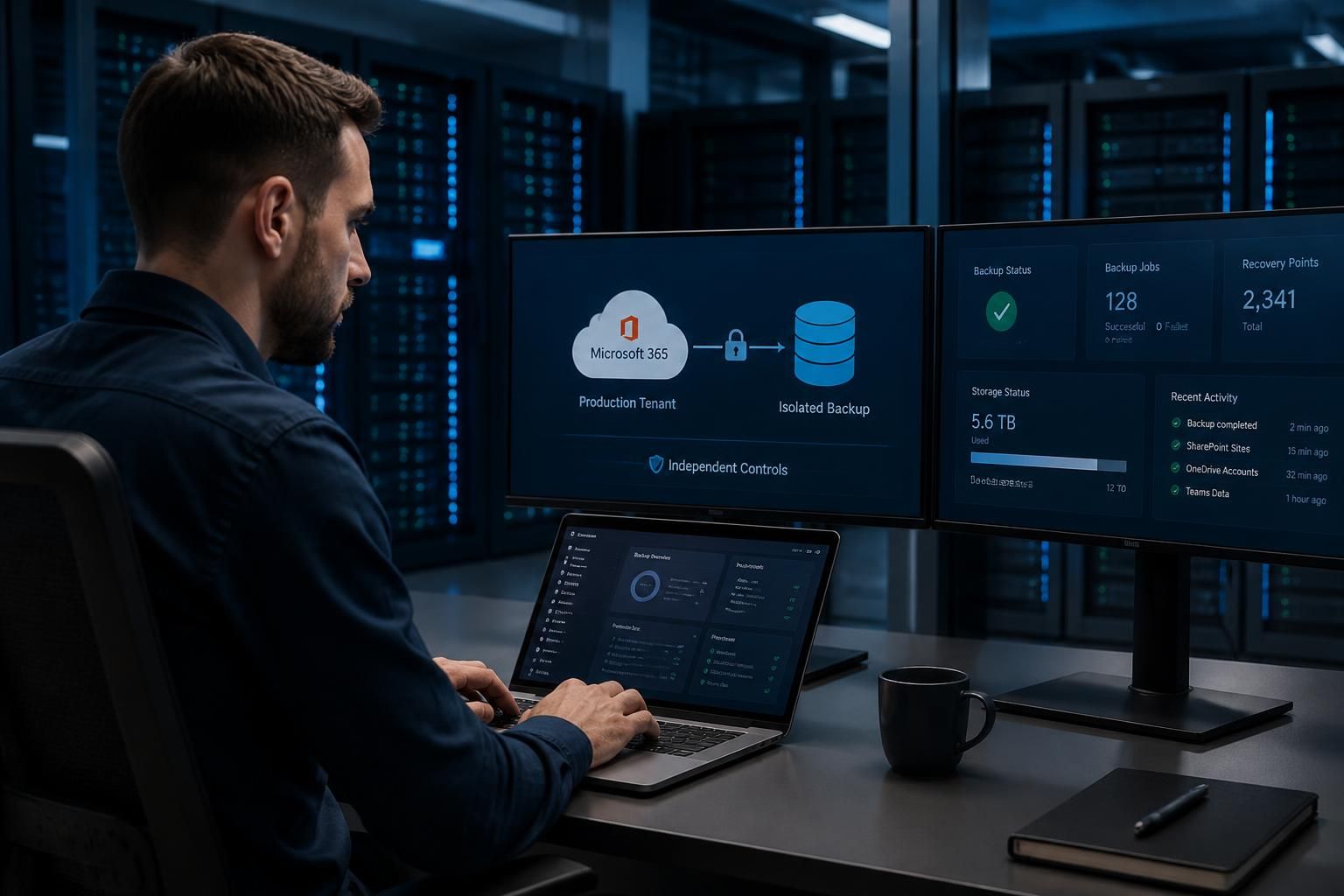
Microsoft 365 Backup is isolated from the live Microsoft 365 tenant by storing backup data in a separate protection boundary with independent service controls. This means that deleting data, compromising tenant administrator accounts or a ransomware attack affecting the production environment does not automatically remove or alter the backup copies needed for recovery.
Microsoft 365 Backup is isolated from the live Microsoft 365 tenant through a separate backup storage and control boundary. Backup copies are managed independently from the production data they protect, so ordinary changes made to mailboxes, SharePoint sites, OneDrive accounts or Teams data do not directly rewrite the corresponding recovery points.
This separation is important because a backup is only useful if it remains available when the primary environment is damaged. A compromised administrator account, accidental bulk deletion or ransomware affecting the production tenant may change live data and configuration, but those events do not automatically give the attacker the same ability to alter the protected backup copies. Recovery can therefore use an earlier point in time rather than relying on the current, potentially compromised state.
Isolation normally includes several controls:
- Separate storage: backup data is held in a dedicated service-managed location rather than as ordinary files within the user’s mailbox, OneDrive or SharePoint library.
- Independent service controls: backup operations, retention handling and recovery workflows are governed by backup-specific controls instead of relying solely on permissions applied to the production workload.
- Restricted access: backup data is not intended to be browsed or edited as if it were live Microsoft 365 content. Access is mediated through authorised backup and restore operations.
- Protected recovery points: the service maintains historical states that can be selected for recovery, rather than treating the latest version of the production data as the only copy.
The result is logical and operational separation, not a claim that the backup exists on an entirely unrelated network with no connection to the tenant. The backup service still needs to identify the tenant, receive backup changes and carry out approved restores. Tenant configuration, service identity, administrator permissions and the backup provider’s controls therefore remain relevant to the overall security model.
Isolation also has limits. If an authorised administrator disables protection, changes retention or grants excessive permissions, the backup configuration may be affected even though the stored recovery data is separately protected. Likewise, a restore can reintroduce compromised or corrupted content if the selected recovery point was created after the threat began. Backup isolation reduces the likelihood that one incident destroys both production data and its recoverable copy; it does not replace malware detection, identity protection, secure administration or testing.
For a business assessing Microsoft 365 Backup, the key checks are whether backup administration is separated from everyday user administration, which accounts can change protection settings, how restore approval is controlled, and whether recovery points remain available after a production deletion. These controls should be documented alongside the organisation’s Microsoft 365 security and incident-response procedures.
Microsoft 365 Backup isolation should be assessed by looking at the control path, not only at where the data is stored. A backup copy may be held separately, but its protection depends on which identities can start a deletion, alter retention, or approve a restore. These actions should be distinct from routine administration of mailboxes, SharePoint sites, OneDrive accounts and Teams.
This distinction helps when investigating an incident. The organisation can examine changes to the live tenant separately from changes to backup configuration and recovery activity. A restore should also be treated as a controlled operation: select a known recovery point, confirm the affected workload and destination, and review the restored content before it is relied on operationally. This makes the separation useful in practice rather than merely a description of storage architecture.

Review Your Microsoft 365 Backup Isolation Requirements
Speak to S2 Technology Group about reviewing your Microsoft 365 Backup isolation requirements, including administration, retention and recovery controls. This can help you document whether the backup arrangement supports your organisation’s recovery objectives.