

How is remote IT support integrated with on-site technical work?
Remote IT support handles diagnosis, configuration and software-based fixes, while on-site technical work addresses physical equipment, cabling, installations and issues that cannot be resolved remotely. The two approaches work together through shared fault information and a planned handover, so an engineer attending the site can continue from the remote assessment rather than repeating initial checks.
Remote IT support is integrated with on-site technical work through a shared service process: one ticket, one documented history and clear ownership between the remote and visiting engineer. This allows technical work to move between locations without losing diagnostic evidence, security controls or knowledge of the business environment.
1. Initial assessment and evidence gathering
The remote engineer records the reported symptoms, affected users, devices, applications and business impact. They may review monitoring information, system logs, configuration data, connectivity status and recent changes. This establishes whether the problem is likely to be caused by software, configuration, connectivity, user access or a physical component.
Where an on-site visit may be required, the engineer also records practical details that could affect the work. These can include the device location, asset identification, available ports, power arrangements, network cabinet access and any operational restrictions. The information gives the visiting engineer a useful starting point and reduces unnecessary investigation on arrival.
2. A defined handover
The remote and on-site stages should be linked through a written handover rather than an informal summary. A suitable handover normally includes:
- A concise description of the fault and when it began
- Tests already completed and their results
- Changes made during remote troubleshooting
- Evidence that has been collected, such as error messages or log entries
- The suspected cause and alternative possibilities
- Equipment, cables, access details or replacement parts that may be needed
- Any risks to data, service continuity or other connected systems
This record prevents the on-site engineer from repeating basic checks without reason. It also makes clear which conclusions are confirmed and which remain provisional.
3. Preparing the on-site task
The remote assessment is used to define the purpose of the visit. For example, an engineer may need to inspect a device that will not power on, trace a network connection, replace a failed component, reorganise equipment in a cabinet or test a connection from a particular location. The task should specify what the engineer is expected to inspect, repair, replace or validate.
Preparation can include checking compatible equipment, confirming administrative access, identifying a suitable maintenance sequence and considering whether changes could affect other users. For multi-device or infrastructure work, a documented plan helps separate preparatory actions from final testing and makes dependencies easier to manage.
4. On-site investigation and two-way communication
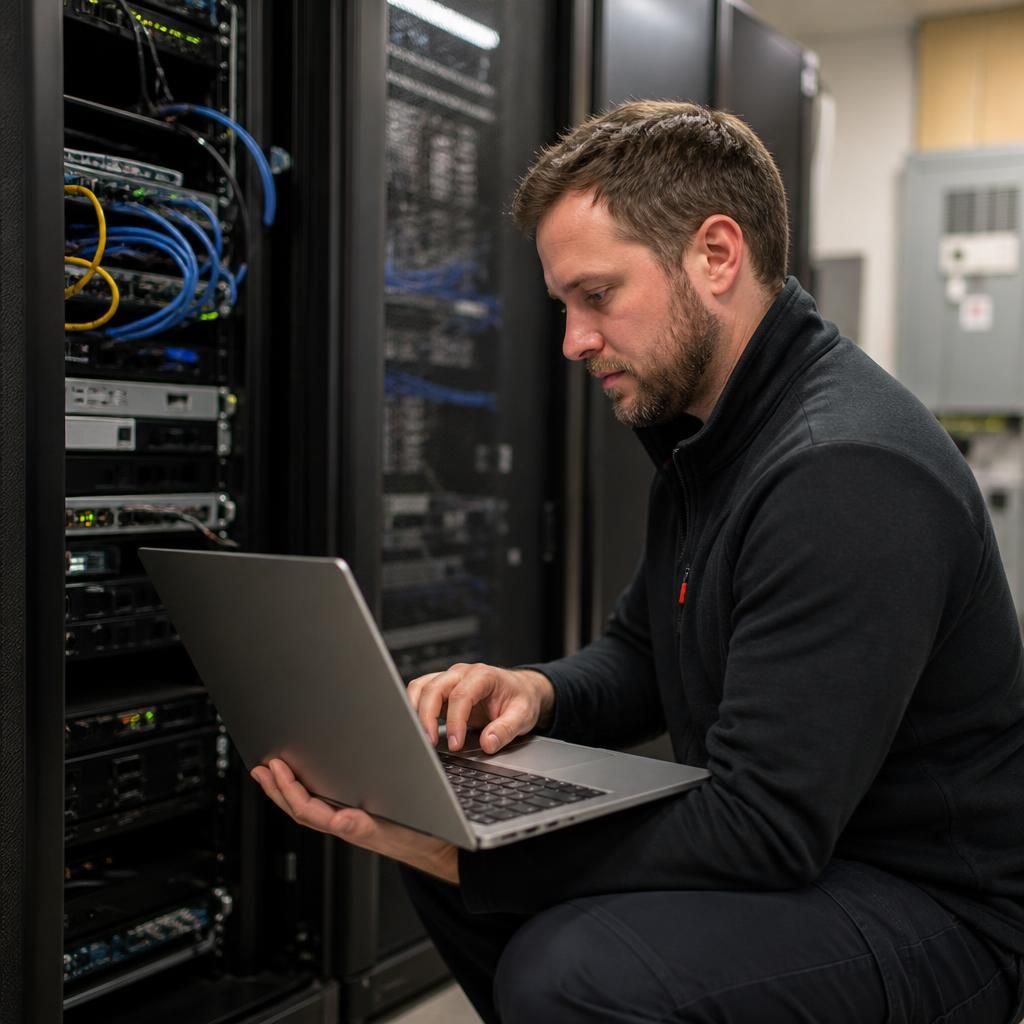
The on-site engineer tests the physical and environmental factors that cannot be assessed reliably from a remote session. These may include power, cabling, ports, indicators, equipment condition, wireless coverage, local network layout and the relationship between connected devices. The engineer then updates the service record with observations and test results.
Communication must work in both directions. If the physical inspection reveals a different cause, the remote engineer may help review configurations, permissions or network behaviour while the on-site engineer checks the relevant equipment. This is particularly useful where a fault crosses the boundary between a physical connection and a software or configuration issue.
5. Controlled changes and security
Remote access should be granted only for the systems and actions needed for the task, using appropriate authentication and access controls. On-site work should follow the same principle: equipment should be handled by authorised personnel, changes should be recorded and sensitive information should not be exposed unnecessarily.
When a device is replaced, reconfigured or reconnected, the engineer should consider data protection, secure disposal, account access and the effect on connected services. Remote access may then be used to apply settings or verify that the device has been correctly incorporated into the environment, but only after the physical work has been completed and the relevant access is available.
6. Validation after the visit
Completion should involve more than confirming that a cable has been replaced or a device has powered on. The remote team can verify system status, connectivity, authentication, application access, monitoring information and relevant configuration. The on-site engineer can confirm that physical connections are secure and that equipment is positioned and labelled correctly.
The incident record should then distinguish between the fault that was found, the work carried out and the evidence that the service has been restored. Any remaining limitation, follow-up task or recommendation should be recorded separately so that an unresolved risk is not mistaken for a completed repair.
Examples of integrated working
- A user cannot connect to a business application. Remote checks identify a local network problem, while an on-site engineer examines the workstation connection, network port and cabling before remote checks confirm the corrected configuration.
- A server or network device reports an intermittent fault. Remote log analysis narrows the likely cause, and an on-site inspection checks power, temperature, connections and hardware condition before the system is tested again.
- A new office area needs additional connectivity. Remote planning can establish addressing, access and configuration requirements, while on-site work installs or checks the physical infrastructure and remote support validates the resulting connections.
For a small or growing organisation, this integrated approach provides a consistent route from diagnosis to physical intervention and back to verification. S2 Technology Group applies this type of coordinated thinking across IT support, infrastructure upgrades, cloud environments and business connectivity for organisations around Stourbridge, including Kinver, Wordsley, Kingswinford, Kidderminster, Halesowen, Dudley and neighbouring areas.
Remote and on-site engineers should work to one agreed change plan, particularly when both are involved in the same incident or upgrade. Without clear control, one engineer may alter a setting while the other is testing equipment, making it difficult to identify which action affected the result.
A controlled process normally establishes:
- which engineer is responsible for authorising each change;
- which systems or devices must remain unchanged during physical work;
- the order in which remote configuration and on-site intervention should take place;
- how the previous configuration can be restored if testing exposes a new problem; and
- who confirms that the work is complete and suitable for normal business use.
This is especially important when a physical replacement, network alteration or equipment move could affect services beyond the device being worked on. Clear change ownership allows remote and on-site technical work to operate as one controlled activity rather than as separate interventions.
Discuss integrating remote IT support with on-site technical work
If your organisation needs remote support and site-based engineering to work as one service, discuss your current setup and technical requirements with S2 Technology Group. A practical review can help identify where remote management ends and on-site assistance needs to begin.