What should an Intune course teach about application licensing?
An Intune course should teach how application licences are assigned, managed and monitored across users and devices, including subscription models, user-based and device-based licensing, and the relationship between licences and app deployment. It should also cover entitlement checks, licence reporting, compliance considerations and practical methods for avoiding unnecessary costs or failed installations.
Application licensing in Intune is the process of establishing who or what is entitled to use an application, how that entitlement is represented in Intune, and how administrators verify that access remains appropriate. A good course should teach licensing as part of the full application lifecycle, rather than treating it as a separate task completed after deployment.
Licensing concepts and terminology
The course should distinguish between the main licensing concepts used in application management:
- User-based licensing: an entitlement is assigned to an individual account, allowing the user to access the application on an eligible device or within defined usage terms.
- Device-based licensing: the entitlement is associated with a particular device, which can be appropriate for shared workstations, kiosks, classrooms or shift-based environments.
- Subscription licensing: access continues while the organisation maintains the relevant subscription and meets its terms.
- Perpetual licensing: a licence may provide ongoing rights to a particular version, subject to the supplier’s conditions and any separate maintenance agreement.
- Concurrent or shared-use licensing: the number of simultaneous users or sessions may be restricted, making deployment alone an insufficient measure of compliance.
Learners should understand that a successful installation does not automatically prove that the organisation has the right to use the software. Entitlement, activation, authentication and technical deployment are related but distinct matters.
Licence prerequisites and application types
An Intune course should explain that licensing requirements vary according to how an application is packaged and supplied. The curriculum should cover store applications, internally developed applications, line-of-business packages, web applications and applications supplied through a separate vendor portal. Each type may use different methods for activation, authentication, assignment and reporting.
For packaged software, the course should cover installer requirements, product keys, activation servers, licence files and vendor-specific sign-in processes at a conceptual level. It should also explain that Intune can deliver an application or configure access to it, but it may not itself issue the commercial entitlement. Administrators must therefore identify which part of the process is handled by Intune and which part is handled by the software supplier or an internal licensing system.
Assignment design
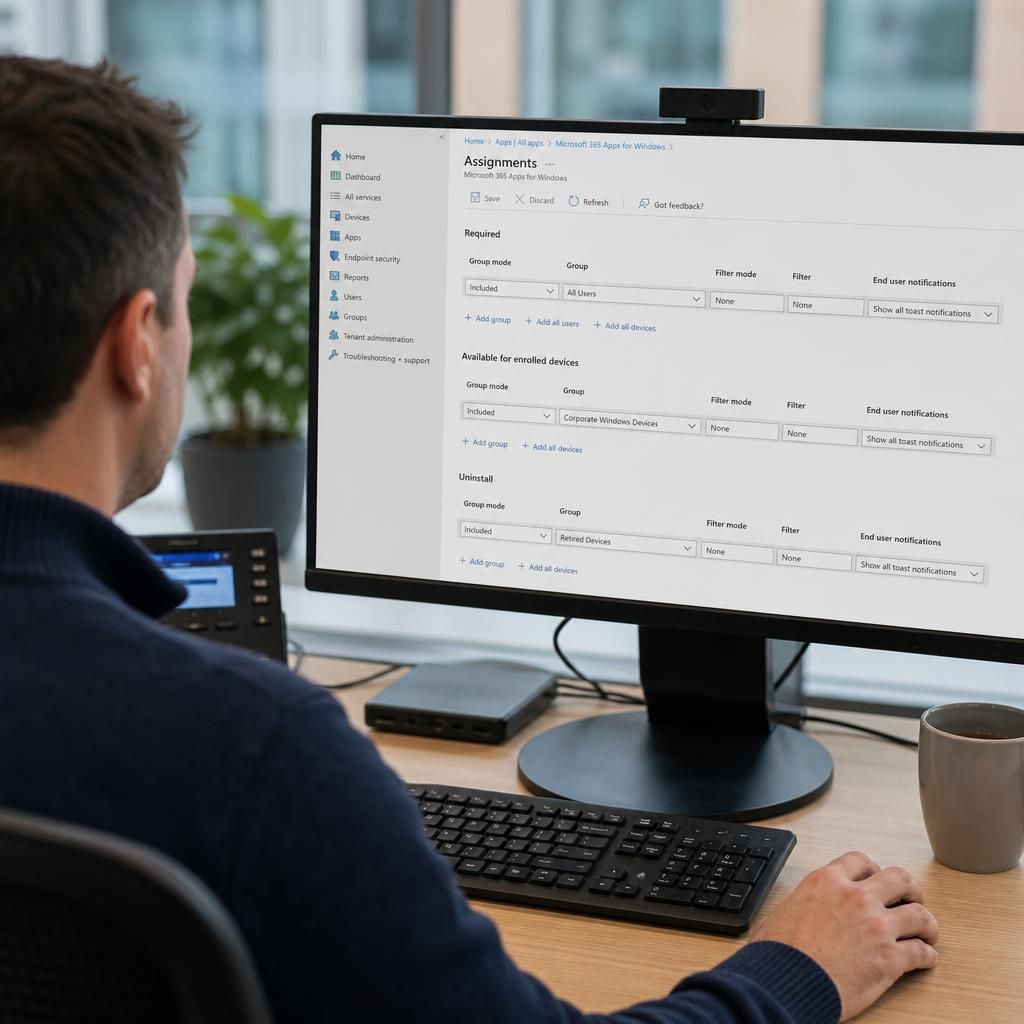
Learners should be taught to design assignments around business roles and usage patterns rather than assigning every application to every device. This includes comparing user groups with device groups, understanding required and available assignments, and considering how a licence is consumed when a user signs in on more than one device.
A practical course should include assignment scenarios such as:
- an application licensed to named employees who use it on managed laptops;
- a specialist application restricted to a department or job role;
- software installed on shared devices where individual user assignment would be unsuitable;
- an application made available for optional installation only to an approved group; and
- a temporary entitlement that must be removed when a person changes role.
The course should also cover group membership changes, nested groups where relevant, exclusions and the risk of overlapping assignments. Poorly designed group logic can result in unintended access, duplicate licence consumption or inconsistent installations.
Entitlement checks and activation
Licence enforcement may happen at different stages. Some applications check entitlement during installation, while others check it when the user first signs in or periodically during use. A course should teach learners how to identify these stages and interpret the resulting behaviour.
Training should cover common causes of activation failure, including an incorrect account, an expired subscription, a missing product key, a device that does not meet the supplier’s conditions, or an application assigned to a user without the corresponding entitlement. It should also explain why reinstalling an application is not always a licensing remedy: the underlying account, group assignment or activation service may still be incorrect.
Where an application uses sign-in-based licensing, learners should understand the effect of account changes, cached credentials, disabled accounts and changes to a user’s group membership. They should also consider whether a user can work offline, how frequently entitlement is revalidated and what happens when a device is retired or reassigned.
Shared devices and changing ownership
Shared and multi-user devices require particular attention because the person using the device may not be the person to whom the application entitlement is assigned. An effective course should compare user licensing with device licensing and explain the operational consequences of each model.
It should teach administrators to document who owns the entitlement, who is permitted to use the device, how sign-in is controlled and how licences are recovered when a device is replaced. Device reassignment should include removal of old accounts, withdrawal of applications that are no longer authorised and confirmation that the next user does not inherit access improperly.
Compliance and audit evidence
Application licensing training should include the evidence needed to demonstrate reasonable control. This may include licence agreements, purchase records, allocation records, group assignments, application inventory, sign-in information and reports showing active or inactive use. Learners should be taught to record the source and terms of each entitlement instead of relying solely on the fact that an application appears in the Intune console.
The course should explain the limitations of reporting. An installed application may not be actively used, a user may have access without launching it, and an application may be activated through a separate account or portal. Reports should therefore be interpreted alongside supplier terms and internal purchasing records.
Reclamation and cost control
A well-designed course should show how to identify licences that may no longer be required. Useful review points include leavers, role changes, inactive accounts, retired devices, duplicate installations and applications that have not been used for an agreed period. Reclaiming an entitlement should be separated from uninstalling software: one action changes access rights, while the other changes the device’s installed state.
Learners should also understand the risks of automatic removal. Some applications support occasional but important use, and a lack of recent activity does not necessarily mean that a licence can be withdrawn. Any reclamation process should use documented criteria, an approval route and a method for restoring access when a legitimate requirement is identified.
Practical exercises and troubleshooting
The strongest Intune course should include practical exercises in which learners create a licensing register, map entitlements to users and devices, configure assignments, review application status and investigate an activation problem. Exercises should include both a normal deployment and an exception, such as a user who has the application installed but cannot activate it.
By the end of the course, learners should be able to explain the licensing model for each managed application, select an appropriate assignment method, recognise the difference between installation and entitlement, interpret available evidence and identify when a licensing issue must be referred to the software supplier or procurement function.
A licensing metric is the rule used to calculate how much software an organisation may use. An Intune course should teach learners to identify whether a supplier measures usage by user, device, installation, location, processor, concurrent session or another contractual unit before creating an application assignment.
This matters because an apparently simple deployment can breach the licence terms if the application has limits that Intune does not enforce automatically. Training should show learners how to translate those terms into practical controls, such as:
- restricting installation to devices in an approved location or business function;
- recording feature or edition restrictions alongside the application assignment;
- preventing additional deployments when a contractual limit has been reached; and
- flagging licence terms that require procurement or legal review rather than technical configuration.
The course should also distinguish between technical controls and contractual obligations. Intune can help limit distribution and provide management evidence, but administrators remain responsible for understanding the supplier’s conditions and escalating ambiguous licensing language.