How should Microsoft 365 support manage licence allocation as teams change?
Microsoft 365 support should manage licence allocation through role-based assignment, regular usage reviews and a documented joiner, mover and leaver process. Reclaim licences when responsibilities change, assign the least-cost licence that meets each role’s requirements, and check that security and compliance features remain available.
Effective Microsoft 365 licence allocation combines accurate records, controlled approval and regular reconciliation. As teams change, support should track which people, devices and services require access, distinguish permanent from temporary requirements, and keep licensing decisions aligned with employment status, job responsibilities and organisational policy.
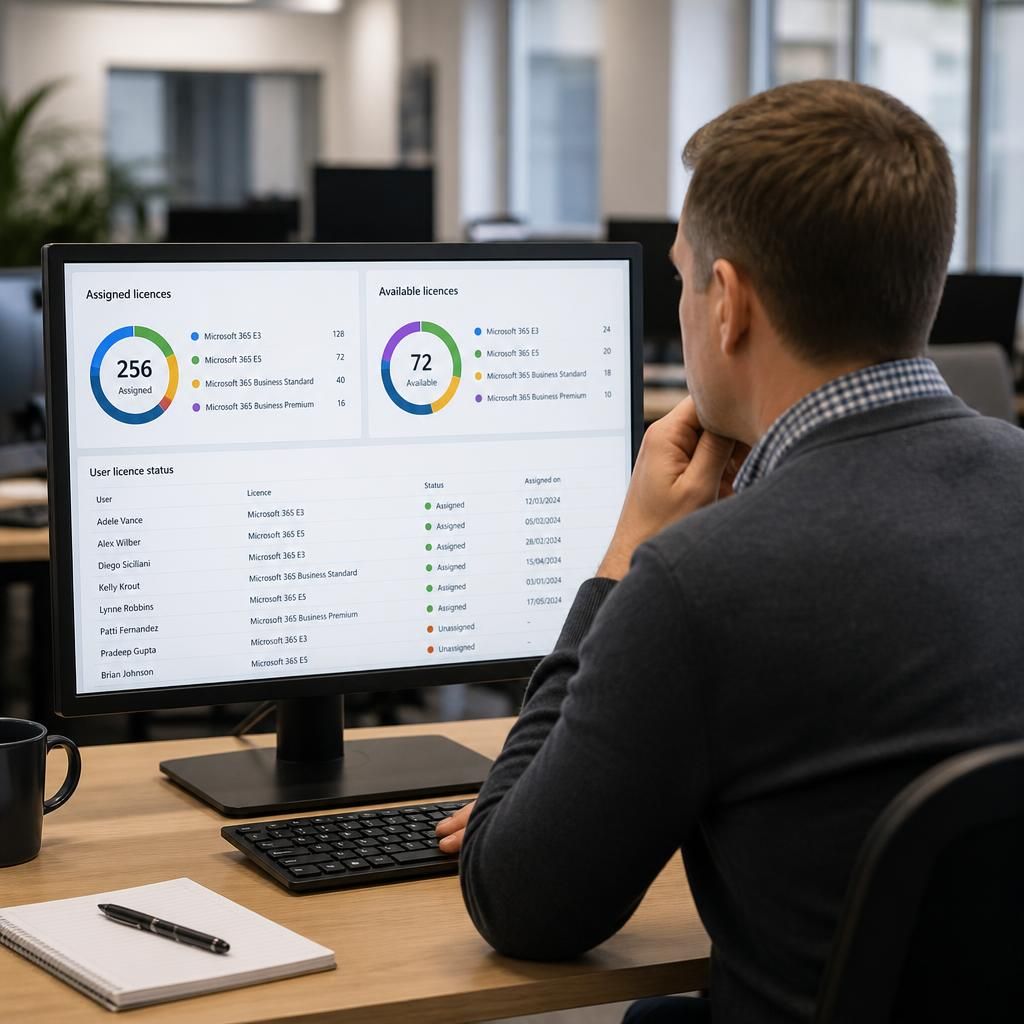
Start with a reliable licence inventory. The inventory should show each licence type held, its assignment status, the user or account receiving it, the date of assignment and the business reason for allocation. It should also identify licences that are available, suspended, duplicated or assigned to accounts that no longer need them. This gives decision-makers a dependable view of capacity before a team expands, restructures or introduces a new working pattern.
Licence records should be reconciled with the organisation’s identity directory and HR or personnel records. Differences between these systems can indicate dormant accounts, duplicated identities, contractors who have changed engagement terms or staff whose access has not followed a change in role. Reconciliation is particularly important where people belong to several teams, use more than one account or work across multiple sites.
Use controlled assignment methods. Licences can be allocated individually for exceptional cases, but larger organisations benefit from rules based on approved groups, departments or role categories. A controlled model reduces manual changes and makes it easier to apply the same decision consistently. It should still include an exception process, because some users will have specialist duties or temporary requirements that do not fit the standard allocation.
Support should document the conditions that trigger each assignment. These may include membership of a particular business function, responsibility for a service, use of desktop applications, access to collaboration features or a requirement for enhanced security controls. The rule should identify the approving owner and the evidence needed before a licence is added or removed. This prevents informal requests from becoming permanent allocations without review.
Separate permanent, temporary and pooled requirements. A permanent allocation is appropriate where a person’s continuing responsibilities depend on the licensed services. Temporary allocations may be needed for a project, a secondment, training or a defined period of cover. These should have an end date or review point recorded at the time of approval. Shared or pooled arrangements require particular care: accounts must remain attributable to authorised users, and shared access must not undermine audit trails or individual accountability.
Before a licence is removed, support should check the consequences rather than treating non-use as the only deciding factor. Relevant checks include:
- whether the user owns files, sites, groups or other business information;
- whether colleagues or automated processes depend on the account;
- whether the user has legal, regulatory or contractual responsibilities;
- whether a replacement service or account has been approved;
- whether the change affects mobile devices, desktop applications or connected services; and
- whether the account needs to be blocked, converted, archived or retained under a separate process.
Licence allocation should also account for feature dependencies. Two users may appear to need the same core service while requiring different capabilities for administration, information protection, communication or device management. Support should map these dependencies before changing an allocation, record the reason for the selected licence, and test the result for a representative user where the change is substantial.
Apply change control to significant amendments. A request to add, remove or alter a licence should identify the requester, affected users, business justification, proposed date, cost centre or budget owner where relevant, and any associated access changes. Approval should come from an appropriate business or service owner rather than being based solely on a user’s request. High-impact changes should have a planned implementation window, a rollback approach and a record of the outcome.
When teams are reorganised, support should assess the change as a group rather than processing users in isolation. A team move may affect membership, shared resources, application access, data ownership and administrative responsibilities at the same time. Reviewing these relationships helps prevent users receiving an unsuitable licence simply because their previous team’s allocation was copied across.
Measure allocation quality using useful operational data. Reports should distinguish between assigned and genuinely required licences, but usage data must be interpreted carefully. Low activity may reflect seasonal work, delegated responsibilities, infrequent compliance duties or a service that is needed only during specific processes. Data should inform a review, not automatically trigger removal. The outcome of each review should be recorded so that recurring exceptions can be identified and future allocation rules improved.
Support should maintain an audit trail for assignments, approvals, changes and exceptions. This provides evidence of who authorised a decision and helps explain unexpected charges, access changes or service interruptions. It also allows an organisation to compare allocation practice with internal policies and to demonstrate that licensing is being governed rather than changed informally.
For growing organisations, the most dependable approach is a repeatable allocation framework: maintain a single inventory, define standard assignment rules, record exceptions, set review points for temporary access, validate dependencies before removal and retain evidence of approval. Microsoft 365 support can then manage licensing as part of wider identity and access governance, rather than treating each licence request as an isolated administrative task.
Licence allocation should be kept separate from access approval. Assigning a Microsoft 365 licence makes services available to an account, but it should not automatically determine which data, groups, applications or administrative functions that person can use. Access should remain governed by role-based permissions and the organisation’s security policies.
When teams change, review both layers independently:
- Licence entitlement: confirm that the user has the service capabilities required for their role.
- Access entitlement: confirm that the user can reach only the information, sites, applications and administrative functions approved for that role.
- Account status: verify that the account is active, correctly identified and linked to the appropriate employment or engagement record.
This distinction prevents a broad licence from being treated as permission to access all available resources. It also makes investigations clearer: an inappropriate service assignment and an excessive data permission are different control failures and should be corrected through the relevant process. Licence reviews are therefore more reliable when they are considered alongside, but not used as a substitute for, access governance.