
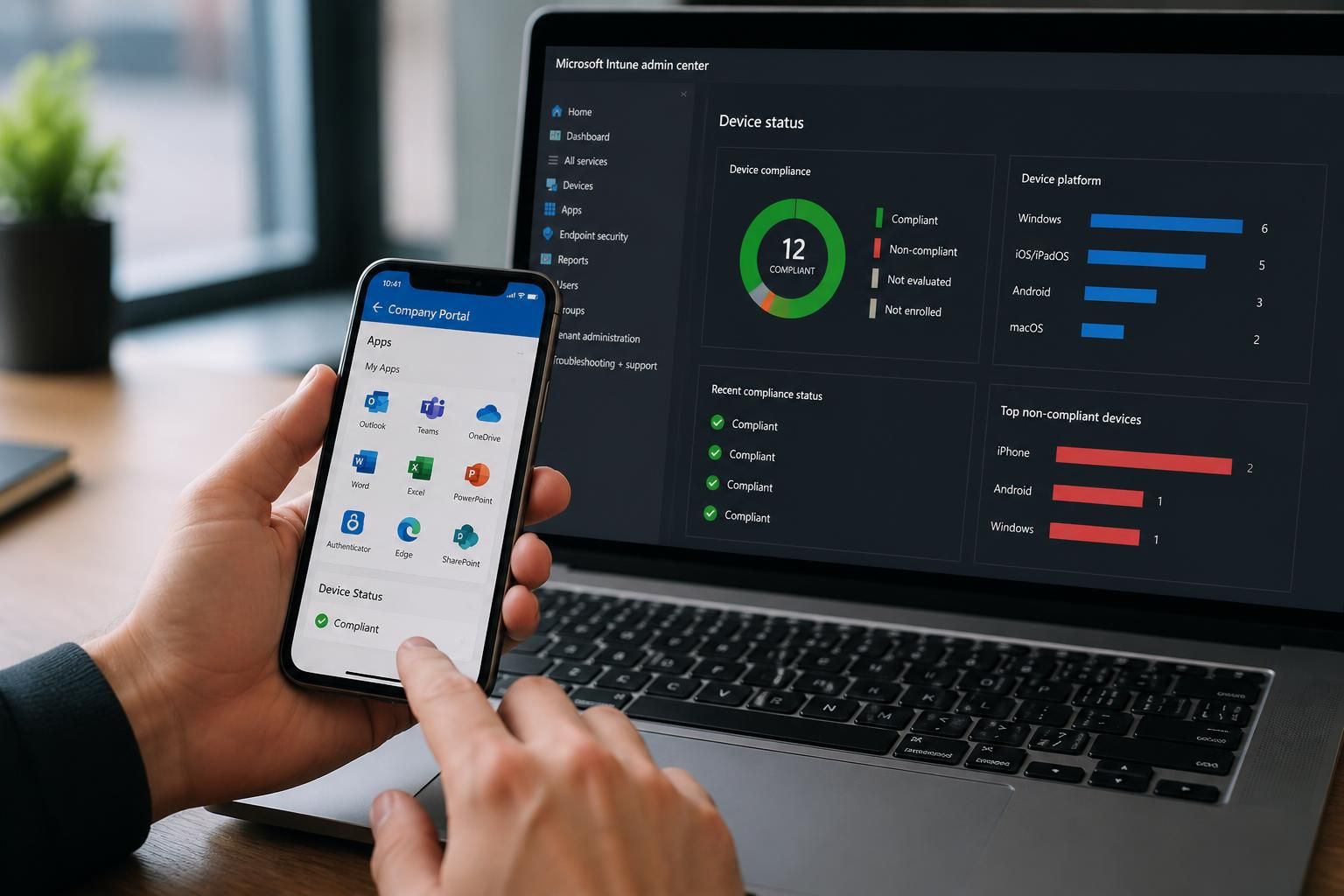
How should Intune management handle personal devices?
Intune management should protect organisational data on personal devices without giving the business unnecessary access to private information. Use privacy-conscious enrolment and app protection policies to secure corporate applications and data, while keeping personal content separate and allowing access requirements to be enforced.
Intune management should treat personal devices as a separate access scenario from organisation-owned equipment. The appropriate approach is to apply the least intrusive control that protects company information: use mobile application management where device enrolment is unnecessary, and use personally owned device enrolment only when stronger device-level controls are justified and clearly explained.
A personal device programme normally starts by defining what users may access. An organisation might allow email and approved business applications, but restrict downloads, local storage, printing, copy and paste, or access to sensitive systems. These decisions should be based on the sensitivity of the information and the risks associated with the device, rather than applying identical controls to every user.
Mobile application management without enrolment
App protection policies can protect business data inside supported applications without requiring the whole device to be enrolled in Intune. This is often suitable for bring-your-own-device arrangements because the organisation manages the business application and its data rather than the user’s personal settings, photos, messages or unrelated applications.
- Require a PIN or biometric authentication before business data can be opened.
- Prevent business content being copied into unmanaged applications.
- Restrict saving company files to personal storage locations.
- Control whether business data can be printed, shared or transferred to another application.
- Remove organisational data from the protected application when access is withdrawn.
Application protection is not a substitute for every device security control. It may not provide the same assurance as full enrolment where the organisation needs to assess device configuration, enforce an operating system requirement or manage network access. The decision should therefore consider the data involved, the applications in use and the access conditions that must be verified.
Personally owned device enrolment
Where device-level assurance is required, Intune can use an enrolment method designed for personal ownership. The configuration should collect only the information needed to identify the device, assess its security posture and apply the agreed work controls. Administrators should avoid broad settings that could be interpreted as permission to inspect or manage private activity.
Before enrolment, users should be told in plain language:
- Which device details Intune records, such as the device model, operating system version, ownership status and compliance state.
- Which settings the organisation can configure or require.
- Whether the organisation can remove business data, lock access or retire the work connection.
- What information administrators cannot see, such as personal messages, personal photos, private browsing content or the contents of unrelated applications, where the chosen management method does not expose it.
- What happens if the user leaves the organisation, loses the device or withdraws consent for the work arrangement.
Privacy statements should match the actual Intune configuration. A policy that says personal information is not accessed does not resolve concerns if administrators have enabled extensive device actions or if another security tool collects more information. The technical design, administrative roles and user documentation should therefore be reviewed together.
Access and compliance decisions
Intune can provide device or application compliance signals to access controls. These signals may include whether the user is using an approved application, whether the device meets the required operating system level, whether a passcode is configured and whether the device is encrypted where that check is supported. Access rules should distinguish between a device that is not enrolled, a device that is non-compliant and an application that is not protected.
A sensible policy model uses graduated responses rather than treating every issue as a permanent block. For example, a user might receive a prompt to update an application or meet a security requirement before access is restricted. Exceptions should be documented, time-limited and assigned to an accountable administrator. They should not become an informal route around the organisation’s security baseline.
Separating work and personal use
Personal-device controls should create a clear boundary around organisational resources. Work accounts should be separate from personal accounts, and business files should remain in approved locations. Conditional launch controls can require authentication or prevent access when a device no longer meets the required conditions.
Organisations should also decide how to handle mixed-use scenarios. If a user opens a work document in a personal application, forwards business information to a private account or stores files outside the managed boundary, Intune controls may no longer provide the intended protection. User guidance, application restrictions and data classification must work together to reduce these routes.
Selective removal and lost devices
When a personal device is lost, replaced or no longer used for work, the preferred action is normally to remove the organisation’s account, applications and managed data without deleting private content. A selective wipe or retirement action should be tested before it is needed, because the result depends on the enrolment method, application support and the location in which data was stored.
A full device wipe is materially different. It can remove personal content as well as business information and should be reserved for circumstances where the organisation has a clear legal, contractual and security basis for taking that action. Personal-device policies should explain who can request such an action, how it is authorised and what users should do after a loss or suspected compromise.
Administration and monitoring
Access to Intune administration should be limited through role-based permissions, with separate roles for policy creation, support, reporting and device actions where practical. Administrative activity should be logged and reviewed. Helpdesk staff should be able to resolve enrolment or application issues without automatically receiving authority to view unrelated device information or perform destructive actions.
Reporting should focus on security-relevant information, such as compliance status, application protection state and access failures. It should not encourage routine inspection of personal activity. Retention periods for reports and audit records should be defined in line with organisational policy and applicable data-protection requirements.
Governance for a personal-device policy
A sound policy should identify eligible users and devices, permitted applications, supported operating systems, minimum security requirements, prohibited activities, privacy boundaries, support responsibilities and the process for withdrawal. It should also state whether participation is optional, whether an alternative organisation-owned device is available and what happens when a device no longer meets the requirements.
Personal devices should be reassessed when the organisation introduces new applications, handles more sensitive information or changes its access model. Intune configuration should be tested with representative user accounts and device types, including enrolment, policy application, data transfer restrictions, access removal and selective wipe. This confirms that the intended separation between business and personal use is being achieved in practice rather than only described in policy.
Intune management for personal devices should define a clear support boundary as well as a security boundary. Where the organisation uses app protection rather than full device enrolment, IT can support access to approved business applications and work accounts, but it does not automatically become responsible for the user’s personal hardware, operating system or unrelated applications.
A practical support model should explain:
- Which business applications and operating systems are supported.
- Whether IT will troubleshoot enrolment, authentication and application access.
- Which personal-device faults remain the user’s responsibility.
- What happens when a device cannot meet the technical requirements for secure access.
This distinction prevents users from assuming that business support includes unrestricted management of their device. It also gives administrators a consistent way to handle incompatible software, unsupported configurations and requests that would require access beyond the agreed privacy boundary. If secure access cannot be maintained without intrusive controls, the organisation should consider an alternative work device or a different access method rather than quietly expanding management of the personal device.