

What happens to our data if we leave a hosted desktop service?
When you leave a hosted desktop service, your business data should be exported or transferred in an agreed format, with access, ownership and retention handled according to the contract. Before switching, confirm what will be returned, how data will be securely transferred, how long backups are retained, and when remaining copies will be deleted.
When a business leaves a hosted desktop service, its data should move through a controlled exit process rather than simply being left in the old environment. The outcome depends on the service agreement, the applications in use, the type of data held, and the migration arrangements made with the outgoing and incoming providers.
Identify what is actually being transferred. A hosted desktop environment may contain more than ordinary documents. The exit inventory may include:
- user files, shared folders and project data;
- application databases and associated attachments;
- email data, contacts and calendars where these are hosted within the service;
- user profiles, mapped drives, desktop settings and templates;
- access records, audit information and configuration documentation; and
- information held by integrated systems, such as document management or line-of-business applications.
Some elements do not belong to the customer or cannot be moved in the same way. Operating system files, provider-owned platform components, third-party software and licences may need to be recreated in the replacement environment. Separating business data from hosted service components prevents assumptions that an entire virtual desktop can be copied without preparation.
Portability depends on the application. Standard files are usually more straightforward to move than data held in a proprietary database or specialist application. A database may require an application-specific export, a compatible version of the software, or assistance from the application supplier. Simply copying the visible files may omit indexes, relationships, permissions or other information needed for the system to function correctly.
The receiving environment should therefore be assessed before the migration begins. Check that it supports the required file formats, database versions, character sets, folder structures and user permissions. Where the replacement service uses different applications, agree whether data will be converted, retained in a read-only format, or accessed through a separate legacy system.
Data integrity needs to be tested, not assumed. After the transfer, selected files and records should be opened and compared with the source. Useful checks include file counts, database record totals, timestamps, attachments, folder structures, permissions and the ability to restore or access important historical information. Business users should test the applications they rely on, because a technically completed copy may still contain missing links, broken integrations or unusable settings.
A planned cutover normally includes a point at which users stop changing data in the old environment. This reduces the risk of two versions developing during the move. If a period of parallel operation is necessary, the migration plan should explain how changes are tracked and reconciled. The business should also define who approves the final dataset and what evidence shows that the transfer is complete.
Personal and confidential information requires particular care. The parties should establish their respective responsibilities for handling personal data during the migration, including who can access it, where it is stored, how it is encrypted in transit and how transfer activity is recorded. A data processing agreement, security schedule or exit clause may contain requirements that are not obvious from the technical service description. Regulated records may also have retention, audit or disclosure obligations that continue after the hosted desktop service ends.
Access should be managed throughout the changeover. Accounts that are no longer needed should not remain active merely because a legacy environment is still available. At the same time, removing access too early can prevent users, auditors or administrators from checking the transferred information. A documented access list, named owner and agreed handover process help balance these requirements.
Keep an exit record containing the agreed scope, export or migration method, dates, responsible parties, test results, exceptions and approvals. Record any data that could not be migrated and explain how it will be handled. This creates an audit trail and gives the business a reference if a missing file, permission issue or application dependency is discovered later.
Before signing a new hosted desktop agreement, examine its exit terms as carefully as its everyday service terms. Important points include usable export formats, assistance with application data, treatment of configuration information, responsibility for migration costs, access during transition, handling of archived information and the evidence supplied when the old environment is retired. An IT support partner such as S2 Technology Group can help a business review these dependencies, coordinate the technical handover and test the replacement setup before the previous service is fully decommissioned.
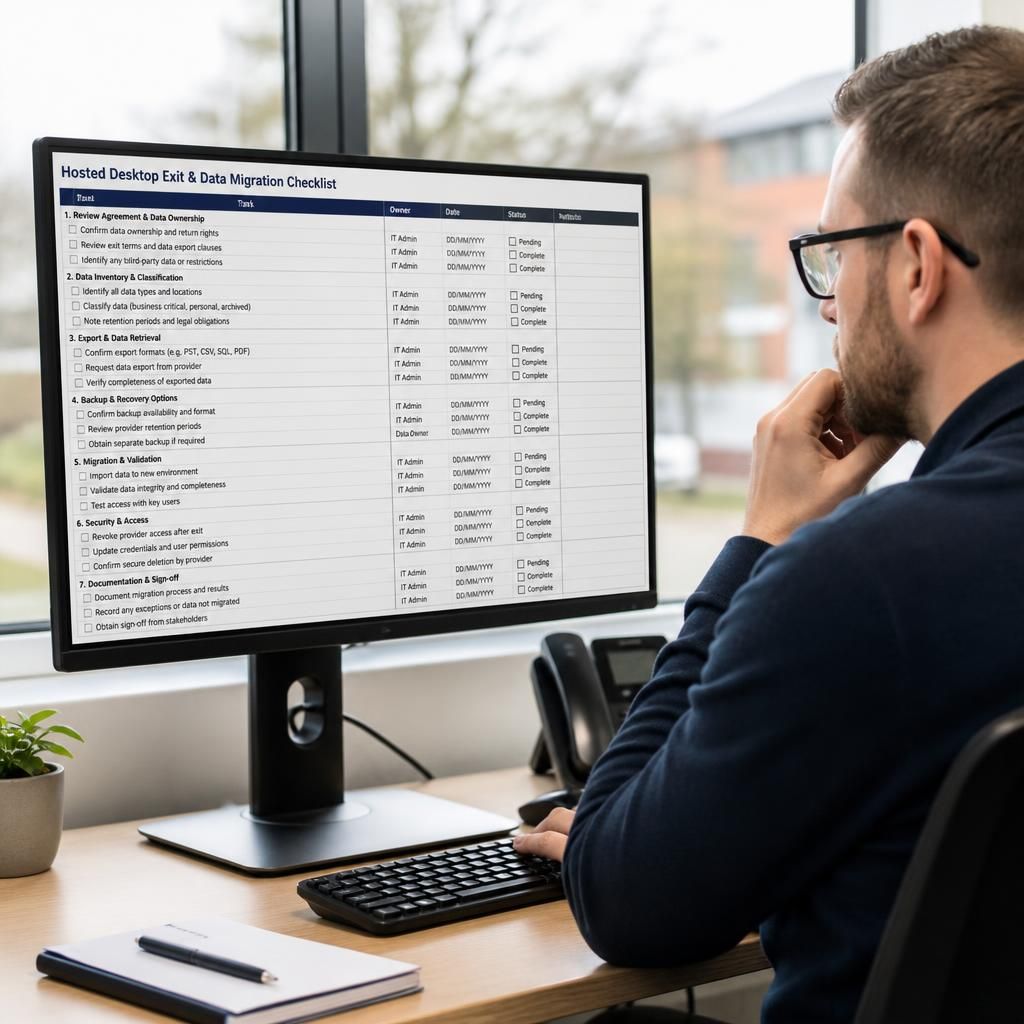
A provider’s backup system is not automatically a usable copy of your business data after the hosted desktop service ends. Backups may be encrypted, held in a proprietary format, or designed only for restoring the provider’s platform rather than individual files, applications or mailboxes.
Before termination, confirm whether backup data can be supplied separately, what recovery options exist, and when the relevant retention periods expire. If the business must preserve records for legal, contractual or operational reasons, arrange an independent archive in a format that authorised users can access without recreating the entire hosted desktop environment.