
How does small business IT support manage access when an employee leaves?
Small business IT support manages a departing employee’s access by disabling accounts, revoking permissions and securing company devices as part of a controlled offboarding process. It also helps protect business data by reviewing shared access, recovering equipment and transferring or retaining files in line with the organisation’s policies.
Managing access when an employee leaves is a coordinated offboarding process between the business, its managers and IT. The aim is to remove the person’s ability to use business systems, preserve information needed by the organisation and create a clear record of what was done, without disrupting services that other employees rely on.
The process should begin with a reliable notification from HR or a senior manager. This should confirm the employee’s departure date, whether the departure is planned or immediate, the systems they use and whether there are any legal, contractual or operational considerations. A planned departure may allow access to be reviewed in advance, while an unexpected or higher-risk departure may require action before the employee is informed. IT should not have to rely on informal messages or discover a departure after access has already been used.
- Identify all routes into the business: This includes the main identity account, email, cloud applications, remote access services, collaboration platforms, finance systems, customer portals and any specialist software. A list of known applications is useful, but it should be checked against sign-in records and licence information because employees often have access that is not recorded centrally.
- End active access: Existing browser sessions, mobile sessions, authentication tokens, remote connections and saved credentials may remain usable after a password change. These sessions should be invalidated where the relevant system allows it, and multi-factor authentication registrations should be reviewed so that the former employee cannot approve a future sign-in.
- Review privileged access: Departing employees who managed systems, approved payments, administered cloud services or held elevated technical rights present additional risks. Their access should be checked separately, including emergency accounts, shared administrator credentials, application secrets and recovery methods. Any shared credentials known to the employee may need to be changed and securely recorded.
- Check delegated and shared access: Mailbox delegation, shared calendars, team workspaces, customer records and operational accounts should be examined for access granted outside the employee’s main profile. This helps prevent an overlooked secondary route into a system.
- Protect business continuity: Before removing access to workspaces or applications, the business should identify who needs to take over ongoing tasks, approvals and customer communications. Ownership of shared files, automated workflows, scheduled reports and service accounts may need to be reassigned so that removing one person does not stop a process.
Email requires particular care. An organisation may need to preserve relevant messages, configure an appropriate business response and give another authorised person access to ongoing correspondence. Automatic forwarding to a private address should be checked and removed where inappropriate. The objective is to maintain legitimate business continuity while avoiding unrestricted access to a former employee’s personal information or unrelated correspondence.
Information should be handled according to the organisation’s retention schedule, contracts and data protection obligations. IT can help preserve relevant records, but the business should decide what must be retained, for how long and who may access it. If there is a dispute, investigation or legal hold, routine deletion should not take place until the appropriate decision-maker has confirmed the requirements. This is one reason an offboarding checklist should involve management and, where necessary, HR or legal advisers rather than being treated as a purely technical task.
Personal and remote-working arrangements also need consideration. A user may have accessed business information from a personally owned computer, phone or tablet, or saved credentials in a browser. The organisation should follow its agreed policy for removing business data from such equipment, ending access to work applications and confirming that any permitted local copies are dealt with appropriately. The same principle applies to removable storage and locally synchronised folders.
After the initial changes, IT should verify the result rather than assuming that the checklist is complete. A review can include sign-in logs, unusual activity, newly created accounts, changes to forwarding rules and access to sensitive systems. Any findings should be escalated through the organisation’s incident process. The completed record should show who authorised the offboarding, when actions were taken, which systems were checked and what exceptions remain.
Small businesses often reduce risk by maintaining a current joiner, mover and leaver procedure, using central identity management where practical and keeping an inventory of applications and administrator accounts. A managed IT support provider can help turn those requirements into a repeatable workflow, align technical actions with the organisation’s policies and identify gaps that a one-off manual check might miss.
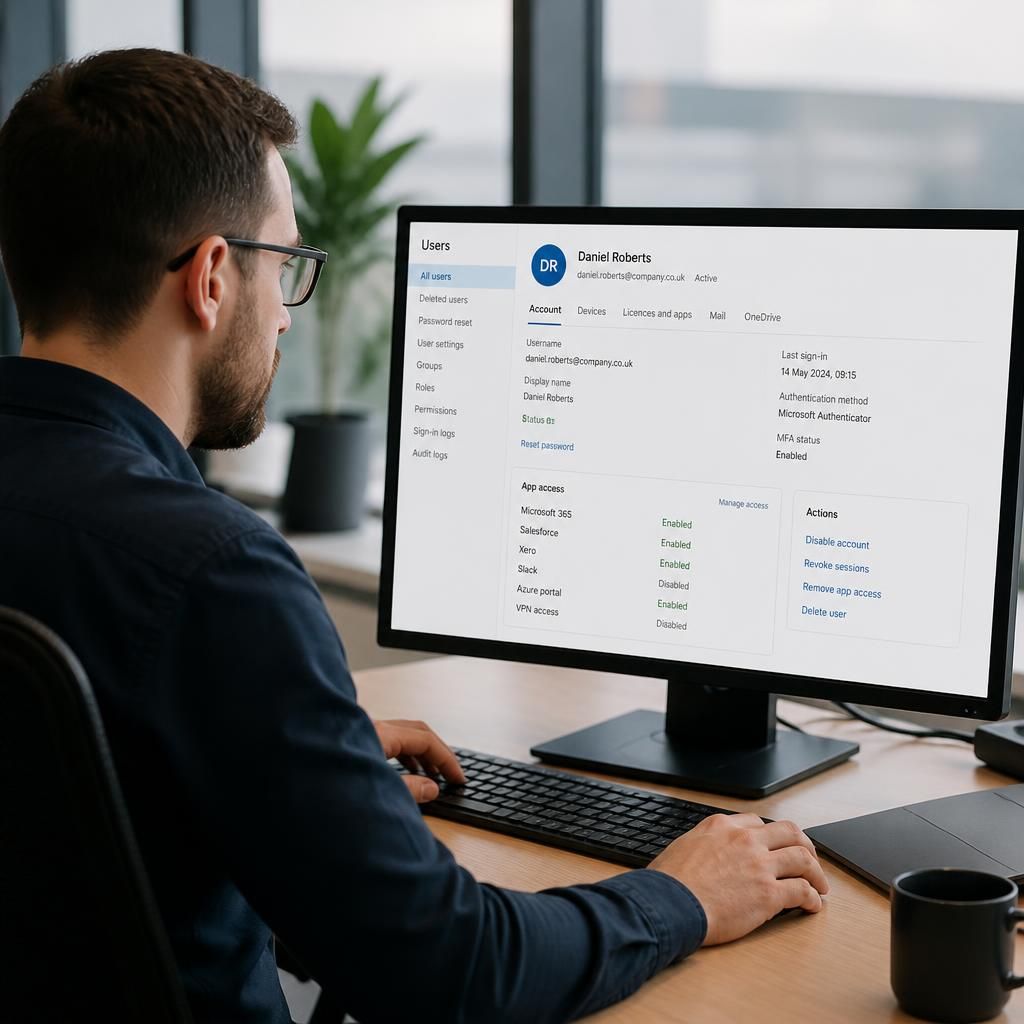
A central identity system can make leaver access easier to control, particularly where multiple cloud applications use the same sign-in. Disabling the central account can prevent authentication across connected services, but it does not automatically remove every application-specific account, local login or external portal profile. Those separate systems still need to be identified and checked.
For this reason, small businesses should distinguish between systems linked to central identity management and systems managed independently. The offboarding record should show which access was removed automatically, which required a separate action and whether any account remains for an approved business purpose. This provides a more accurate view of the employee’s actual access than relying on one password change or account disablement.