

Business Disaster Recovery
Business disaster recovery is the planning and technology used to restore systems, data and user access after disruption. S2 Technology Group provides secure backup, recovery and continuity solutions for businesses.
Backup Is Not the Same as Disaster Recovery
An individual backup is a copy of data held separately from the live environment. It helps recover deleted or corrupted files, but does not by itself restore applications, devices, user access or operational processes.
Disaster recovery covers the wider process: identifying critical systems, defining recovery priorities, documenting dependencies, and restoring services in a controlled order. It may also include alternative connectivity, replacement equipment and secure access arrangements, depending on the organisation’s risks.
Effective planning sets recovery objectives for data and services, assigns responsibilities, and tests whether backups can be used. S2 Technology Group can help businesses assess these requirements and develop managed arrangements that support continuity without treating backup alone as a complete recovery strategy.
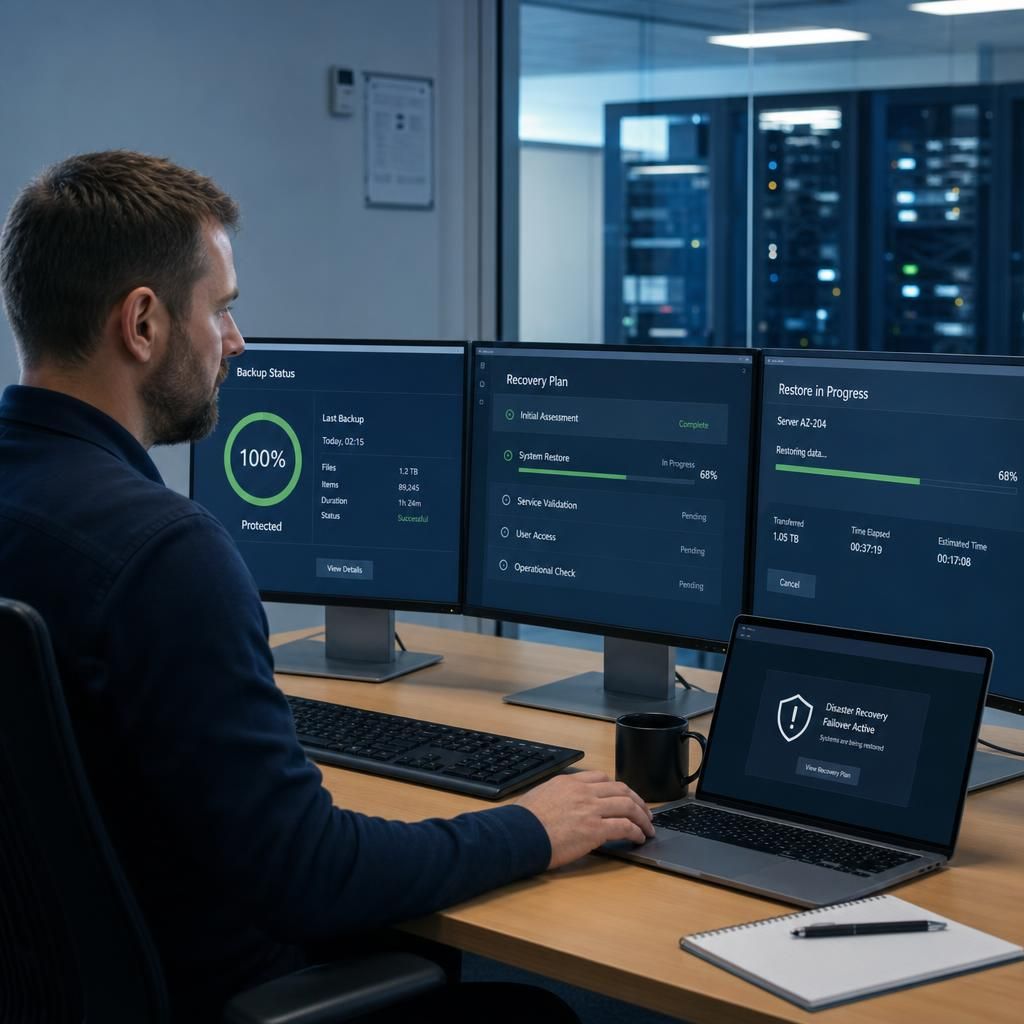
A Structured Approach to Business Disaster Recovery
These areas show how S2 Technology Group approaches disaster recovery: aligning protection with business-critical workloads, separating recovery copies from everyday systems, considering cloud and on-premises environments, and reviewing arrangements as technology and operational requirements change.
Risk-Led Recovery Planning
Disaster recovery planning starts with understanding how disruption could affect systems, data, staff and customers. S2 Technology Group helps businesses assess operational dependencies so recovery arrangements reflect actual business risk rather than relying on a standard template.
Recovery Priorities That Reflect the Business
Not every system needs to be restored at the same point in the process. Recovery priorities can be aligned with essential workflows, key applications and the access employees need to resume important work in a controlled way.
Protected Recovery Copies
Recovery copies should be protected from the same incidents that affect live systems. S2 can help businesses review how backup data is separated, secured and managed so that a problem in the everyday environment does not automatically compromise every recovery option.
Cloud and On-Premises Coverage
Many organisations operate across cloud services, local infrastructure, networks and user devices. A suitable recovery plan considers how these layers depend on one another, including the access arrangements needed to restore a usable working environment.
Documented Recovery Procedures
A recovery plan is more useful when responsibilities, dependencies and restoration steps are recorded clearly. Practical documentation gives the people involved a shared reference point and reduces reliance on individual knowledge during a technology disruption.
Review and Test the Arrangement
Business systems and working practices change, so recovery arrangements need periodic review. S2 Technology Group can help assess whether documented procedures and protected copies remain suitable as infrastructure, applications and operational requirements develop.
Operational Dependencies Can Delay Recovery
Business disaster recovery is also a security process when disruption follows ransomware, account compromise or unauthorised access. Restoring infected systems without checking recovery points can reintroduce the threat, so recovery arrangements should include malware assessment, controlled restoration and secure handling of administrator credentials.
Another often-overlooked consideration is the information needed during an incident. Contact details, system records, recovery procedures and supplier information may be inaccessible if they are stored only within the affected environment. Keeping essential documentation available through a separate, controlled route can help decision-makers act without relying on systems that are currently unavailable.
Recovery arrangements should also reflect how the organisation operates after restoration. Reviewing lessons from incidents, technology changes and recovery exercises can reveal gaps in ownership, documentation or security controls. S2 Technology Group helps businesses examine these practical issues as part of a managed disaster recovery approach.
Disaster Recovery Options for Different Business Needs
The right disaster recovery option depends on which workloads must be restored, how much data loss the business can tolerate, and whether systems run on local servers, cloud platforms or software-as-a-service applications.
The boxes below match common requirements with suitable approaches, helping compare protection for files, Microsoft 365 data, servers and connectivity.
Match Your Workloads to the Right Recovery Option
Files and Documents
File-level backup and recovery suits businesses that need to restore deleted, corrupted or accidentally changed documents without rebuilding the wider environment.
Microsoft 365 Data
Separate Microsoft 365 data protection helps recover mail, files and collaboration data when native retention does not meet the organisation’s recovery requirements.
On-Premises Servers
Server backup and image-based recovery are appropriate where line-of-business applications, shared storage or local infrastructure must be restored as a working system.
Cloud and SaaS Workloads
Cloud and SaaS recovery arrangements protect workloads whose data, configurations or dependencies may need restoring outside the platform’s standard controls.
Connectivity and User Access
Continuity planning for connectivity and secure user access supports organisations that cannot operate effectively if systems are restored but staff remain unable to reach them.
Coordinated Recovery Planning
A documented recovery plan is suited to businesses with several connected systems, defining priorities, responsibilities, dependencies and controlled restoration steps.
Questions to Ask About Business Disaster Recovery
What evidence proves a disaster recovery service can restore your systems?
Recovery testing should verify more than backup completion: confirm usable restore points, application dependencies, user access, recovery documentation, and responsibilities, with findings recorded and addressed before exercise is considered complete.
What recovery time objectives should your disaster recovery plan include?
Set recovery time objectives by service, reflecting operational impact, dependencies and acceptable downtime. Critical workloads need shorter restoration windows, while lower-priority systems may tolerate longer outages and different recovery arrangements.
Which systems and data fall outside your disaster recovery scope?
Scope exclusions should identify unsupported applications, unmanaged devices, personal accounts, SaaS platforms, legacy systems and data without recoverable copies. Documenting these boundaries prevents assumptions and clarifies responsibilities during recovery planning.
What recovery point objectives should your disaster recovery plan define?
Recovery point objectives specify the maximum acceptable data loss, measured in time. Set them by workload, considering transaction frequency, replication methods, backup intervals and business consequences of unavailable recent data.
Who is responsible for your disaster recovery plan?
Assign a named owner to maintain the plan, coordinate suppliers, approve recovery decisions and organise reviews. Technical teams manage restoration, while department leaders confirm business priorities and authorise service resumption.
Explore the Building Blocks of Business Disaster Recovery
Recovery design involves more than selecting storage capacity. The options below show how retention, recovery environments, administrative controls and operational dependencies can be considered when building a business disaster recovery arrangement.
File and Endpoint Recovery
For documents, user files and individual devices, file-level recovery may be sufficient. This option focuses on restoring selected data or endpoint configurations without rebuilding the entire business environment.
Application and Server Recovery
Business-critical applications often depend on servers, databases, network services and authentication. Recovery plans should map these dependencies so systems are restored in an order that supports the required business processes.
Cloud Workload Recovery
Cloud-hosted systems still require recovery planning. Consider how data, configurations, user access and connected services would be restored if a cloud workload became unavailable or was affected by an incident.
Replicated Recovery Environments
A replicated or standby environment can support workloads where rebuilding infrastructure would be impractical. The design should define which systems are replicated, how changes are synchronised and how failover is controlled.
Multi-Site and Remote Access Continuity
Organisations operating across offices or relying on remote access may need alternative connectivity, secure access arrangements and replacement equipment within their recovery design. These requirements should reflect how staff work and which locations are essential.
Build Confidence in Your Business Recovery
Business disaster recovery is the organised capability to maintain or re-establish essential operations when an incident makes normal technology unavailable. Its value lies in giving the organisation a defined basis for decisions, so critical work is separated from lower-priority activity and recovery resources are directed where they have the greatest operational importance.
A considered approach can also support more reliable technology planning. Reviewing how systems, users and external services contribute to daily operations may highlight weaknesses that are easy to miss during routine use, helping inform sensible improvements as the business grows, changes sites or adopts new cloud-based tools.
S2 Technology Group can help businesses assess their recovery needs, clarify practical requirements and shape an approach that fits their infrastructure and operating model. This provides a more structured foundation for continuity planning, without treating a standardised backup arrangement as suitable for every organisation.
Business Disaster Recovery Questions Answered
How should businesses protect backups from ransomware?
Disaster recovery combines documented procedures, suitable technology and tested arrangements to restore critical data, systems and access after disruption, helping organisations resume essential operations in a controlled and documented sequence.
How often should a disaster recovery plan be reviewed?
Review frequency depends on business change, risk and testing results. Reassess after significant infrastructure, application, supplier or personnel changes, and after every exercise or disruption, updating documented recovery requirements accordingly.
How can businesses recover when their primary site is unavailable?
When a primary site is unavailable, recovery can use replicated data, alternative infrastructure or cloud services, with documented access procedures, network connectivity and prioritised restoration of essential applications and users.
What role does cloud backup play in business disaster recovery?
Cloud backup stores protected copies away from local infrastructure, supporting recovery after hardware failure, site damage or error. Its usefulness depends on retention, access controls, encryption and verified restoration procedures.
Why is an isolated recovery environment important in disaster recovery?
An isolated recovery environment separates restoration activities from compromised production systems, reducing reinfection risk and allowing administrators to validate recovered data, applications and access before reconnecting essential business services safely.