Can existing software licences be used after cloud migration?
Existing software licences may remain usable after cloud migration, but this depends on the licence type, contractual terms and whether the software supports the new cloud environment. Perpetual licences may transfer in some cases, while subscription or cloud-hosted versions may require a different plan, reassignment or new licensing agreement.
The decisive issue is not where the software is hosted, but what the licence agreement permits. A licence may continue to cover a migrated application, require reassignment to a new virtual machine or user, or become unsuitable if the deployment model changes. The licence terms, software edition, number of users or devices, and the proposed cloud architecture all need to be checked together.
Licences commonly fall into several categories:
- Perpetual licences: These are purchased for ongoing use, subject to the original agreement. They may be usable on a replacement cloud server, but restrictions can apply to transfers, virtual machines, backup instances and the number of installations.
- Subscription licences: These normally remain valid while the subscription is active. The migration may require changing the assigned users, devices, service tier or billing arrangement rather than buying the software again.
- User- or device-based licences: Moving to cloud access can alter how users connect to the application. A licence based on named users may need reassignment, while a device-based model may not reflect remote or multi-site access accurately.
- Server and access licences: Software running on a cloud-hosted server may require separate rights for the server itself and for each user or device accessing it. These requirements should be assessed for the production environment, test systems and any permitted backup or disaster recovery installation.
- Software-as-a-service subscriptions: If an application is replaced with a hosted service, the existing installed-software licence will usually not provide access to that service. The provider’s subscription, user terms and data migration arrangements must be reviewed separately.
The migration method affects the licensing position. Rehosting an existing application on a cloud virtual machine may preserve more of its original operating assumptions than replacing it with a cloud-native service. However, the move can still trigger rules covering hardware changes, virtualisation, geographic location, licence mobility, minimum purchase quantities or the use of shared infrastructure. A licence that permits installation on one physical server may not automatically permit installation across a cloud platform or multiple virtual machines.
Some agreements distinguish between production, development, testing and standby environments. A migration project may create temporary copies of an application or database, and those copies may count as additional installations. The same applies to snapshots, replicated servers and recovery environments. The business should confirm whether these uses are included, require separate licences or are permitted only for a limited purpose.
Support and maintenance terms also matter. A perpetual licence might allow continued use of an older version, but access to updates, technical support or compatibility fixes may depend on a current maintenance agreement. If the cloud platform uses a newer operating system, database version or virtualisation layer, the application vendor’s supported-platform list should be checked before migration. Running unsupported software in the cloud can create operational, security and compliance problems even where the underlying licence remains valid.
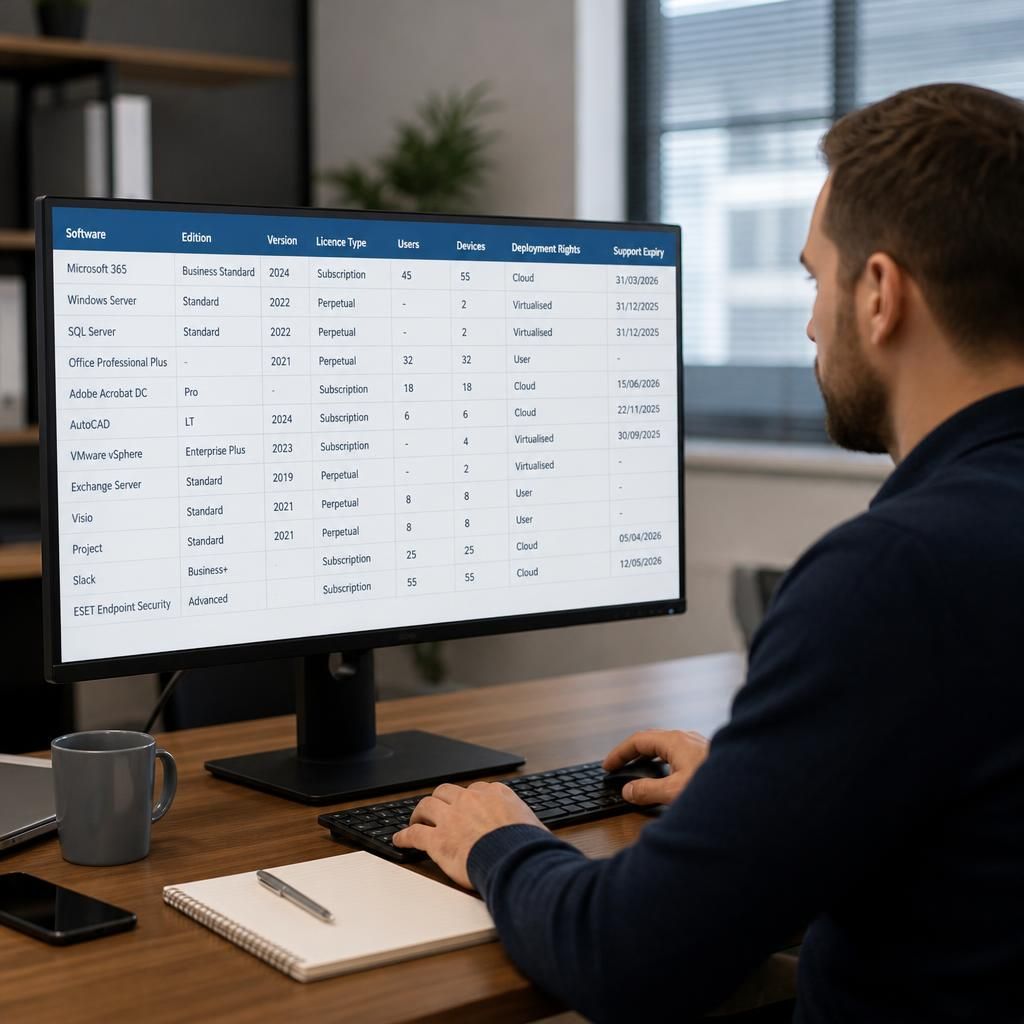
A practical licence review should record:
- the software name, edition and version;
- the legal entity named in the agreement;
- the licence metric, such as user, device, core, processor, server or concurrent session;
- the permitted deployment locations and environments;
- transfer, reassignment and virtualisation rights;
- subscription renewal, cancellation and upgrade conditions;
- support status and any platform compatibility requirements;
- the number of licences currently assigned and the number required after migration; and
- evidence of purchase, renewal, assignment and any previous amendments.
Where the agreement is unclear, the safest approach is to obtain written confirmation from the software supplier or licensing authority before the cutover. A reseller’s informal interpretation may not be sufficient if the business is later asked to demonstrate compliance. Written approval should identify the proposed cloud model, the number of users or devices, the relevant environments and whether temporary migration systems are covered.
The review should also distinguish between the right to use the software and the right to access the data it holds. A licence may permit the application to run after migration without covering data export tools, integrations, reporting modules or third-party connectors. These related components should be included in the inventory so that the migrated service does not lose important functionality.
S2 Technology Group can help small and medium-sized businesses include software licensing in their cloud planning alongside infrastructure, security and access requirements. This can involve documenting the current software estate, mapping licences to the proposed cloud design, identifying potential gaps and separating licences that can be retained from those that need renegotiation or replacement.
Existing software licences should be checked again after cutover because the final cloud deployment may differ from the design that was approved beforehand. A licence can appear compliant during migration but become inaccurate if users, servers or access methods change once the new environment is in regular use.
Post-migration checks should confirm that:
- old servers, test instances and duplicated installations have been removed or formally retained;
- user and device assignments match the people and equipment actually accessing the software;
- any new cloud resources are recorded against the appropriate licence entitlement;
- subscription renewals reflect the required edition and level of access; and
- licence records show the date of the change and the person responsible for maintaining them.
This creates a clear record of how the software is being used after migration, rather than relying on assumptions made during planning. It also makes later changes easier to assess, particularly when staff access, cloud resources or application configurations are amended.