What should Intune training teach about automated device provisioning?
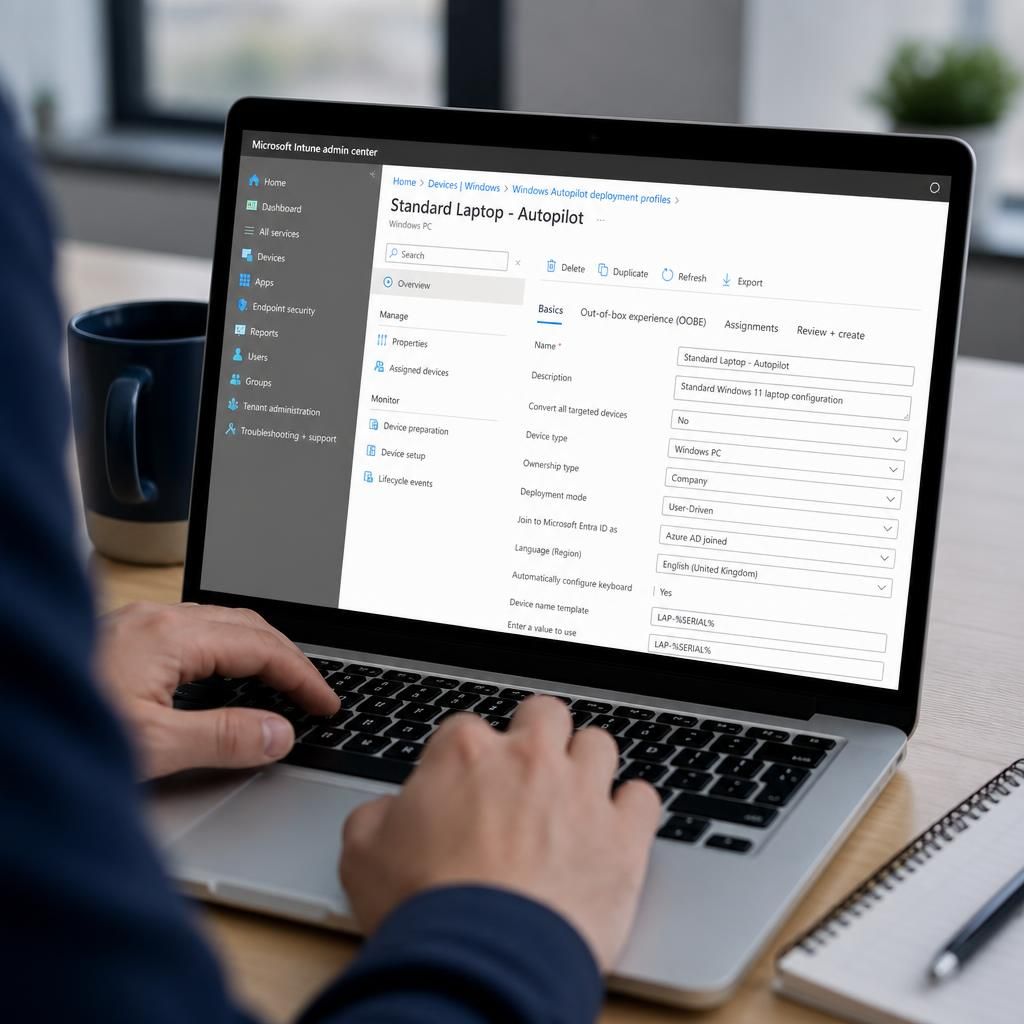
Intune training should teach how automated device provisioning uses Windows Autopilot to register devices, apply configuration profiles and install required applications with minimal manual setup. It should also cover deployment workflows, user assignment, security controls, troubleshooting and validation so devices are ready for secure business use.
Intune training should teach automated device provisioning as a controlled process for turning a new or reset device into a usable, policy-compliant business endpoint. The emphasis should be on how device identity, enrolment, configuration, applications and user access fit together, rather than treating Autopilot as a single configuration screen.
Training should first explain the provisioning models. A user-driven deployment is suitable when an employee receives a device and completes the initial setup themselves. A self-deploying deployment is designed for scenarios such as shared or kiosk devices, where there may be no individual user to associate with the initial setup. Pre-provisioning allows an administrator or technician to prepare the device before handing it to the employee, reducing the amount of technical work required during first use. Each model has different identity, authentication, application and support implications.
The course should also explain the information required before deployment begins. This includes the device hardware identity, the intended ownership model, the assigned user or group, the relevant deployment profile and the licensing needed for enrolment and management. Learners should understand how devices are imported or registered, how records are matched to the correct tenant, and why duplicate or incomplete records can prevent a deployment from following the expected path.
A sound course must cover the Enrollment Status Page. This page controls whether a user can reach the desktop while selected applications, security settings and management components are still being installed. Training should show how to decide which items are essential during setup and which can be delivered afterwards. Blocking too many items can make deployments appear to fail when a non-essential application is unavailable; blocking too few can allow a device into use before important controls have been applied.
Provisioning should be taught as a dependency sequence. For example, the device must establish network access before it can contact the management service. Enrolment and identity registration must occur before user-targeted settings can be applied, while some applications depend on the device reaching a particular management state. Understanding these dependencies helps administrators distinguish a genuine policy problem from a delay caused by connectivity, authentication or service availability.
Configuration assignment deserves particular attention. Training should cover the difference between device-targeted and user-targeted settings, how groups determine assignment, and how conflicting profiles are identified and resolved. It should also explain the effect of filters, exclusions and deployment scope. A clear assignment design prevents a newly provisioned device from receiving incompatible settings simply because it belongs to several broad groups.
Security should be incorporated into the provisioning design rather than added after deployment. Relevant teaching points include establishing a trusted device identity, requiring appropriate authentication, applying encryption and security baselines, restricting local administrator access, and ensuring that compliance evaluation is part of the access decision where the organisation uses conditional access. The aim is to define the minimum secure state a device must reach before it is treated as ready for business data.
Good Intune training should include failure analysis. Learners should practise checking deployment status, enrolment records, profile assignments, application installation results and device-side logs. Common causes of failure include an incorrect hardware record, an unsuitable profile assignment, missing permissions, an application detection rule that does not match the installed software, unavailable network access or a device that has retained an old management relationship.
A practical troubleshooting method is to identify the stage at which the process stopped:
- Before enrolment: check the device identity, tenant association, network connection and authentication path.
- During enrolment: review the assigned profile, ownership setting and enrolment restrictions.
- During setup: inspect the Enrollment Status Page and determine which application or policy is holding the process.
- After reaching the desktop: confirm that settings, applications, security controls and compliance state have completed successfully.
Training should also distinguish between a transient installation delay and a configuration error. Repeatedly resetting a device without examining assignments or logs can reproduce the same failure. A better process records the device, user, profile, error message and affected application, then tests one potential cause at a time.
Validation is the final part of automated provisioning. A device should not be considered complete merely because a user can sign in. The administrator should verify that it appears with the correct ownership and management state, receives the expected policies, installs required software, reports its security posture and reaches the intended compliance result. A short acceptance checklist makes this assessment repeatable across individual, shared and pre-provisioned deployments.
Finally, an effective course should cover the operational design around provisioning. This includes documenting the standard deployment path, defining who can create or modify profiles, separating testing from production assignments, maintaining records for retired devices and establishing a controlled approach to redeployment. Learners should understand how a pilot group can expose assignment or application problems before a wider rollout, without allowing experimental settings to affect every newly provisioned endpoint.
Intune training should teach how device naming and identification support automated provisioning. A consistent naming convention helps administrators distinguish user devices, shared endpoints and kiosk systems in the Intune portal, making it easier to review records, investigate issues and confirm that the correct deployment profile has been applied.
The course should explain the difference between a device name, its hardware identity and its management record. A name is an operational label, not proof of ownership, compliance or security status. Learners should therefore combine naming rules with reliable inventory data and deployment metadata, while accounting for devices that are reset, renamed or redeployed. This prevents an old label from being mistaken for evidence that a device still belongs to the same user or deployment group.