

How does Intune protect business data within mobile applications?
Microsoft Intune protects business data in mobile applications by applying app protection policies that control how data is accessed, stored, copied and shared. It can combine conditional access, encryption and selective data wiping to help keep company information separate from personal data on supported devices.
Microsoft Intune protects business data in mobile applications by applying mobile application management controls to approved apps and the information they handle. This allows an organisation to manage corporate data at application level, rather than relying solely on control of the entire mobile device.
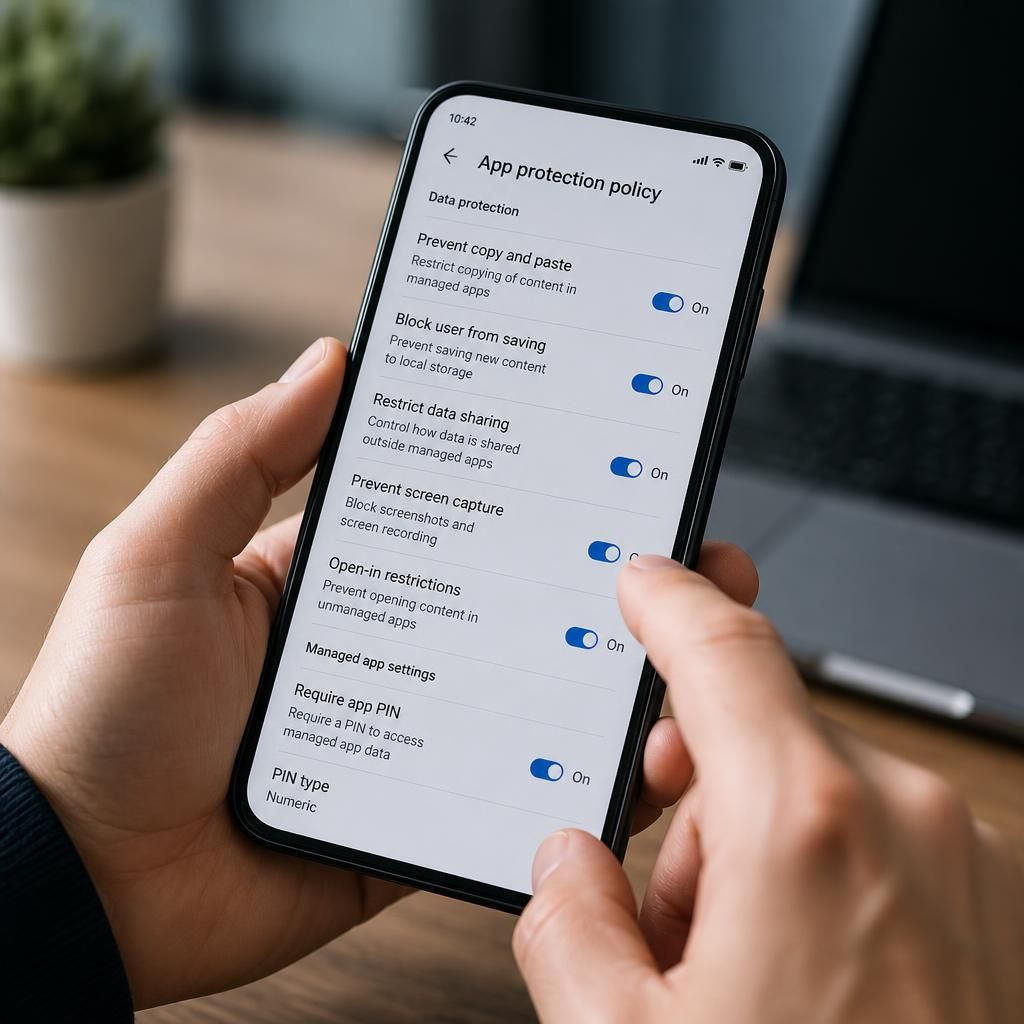
Application protection policies define which apps can receive, process and share organisational information. For example, a business can designate approved applications for accessing work email, documents and collaboration content, then apply consistent rules to those apps. This is particularly useful where employees use personal devices, because the organisation can govern business information without taking ownership of the user’s whole handset.
- Data transfer controls: Intune can restrict the movement of work content between managed and unmanaged applications. Policies may control copy and paste, screen capture, printing, sharing and the use of the device’s open-in functions, depending on the platform and application.
- Storage controls: Work files can be prevented from being saved to unsuitable locations or transferred to consumer storage applications. Administrators can specify approved storage destinations and limit the creation of local copies.
- Application access requirements: A policy can require a user to authenticate before opening a protected app or viewing organisational content. It may also require a PIN, biometric verification or other supported security condition, separate from the device’s general unlock method.
- Protection against accidental disclosure: Separating work content from personal applications reduces the risk of an employee unintentionally sending a business document to a personal messaging, email or storage app.
Intune applies these controls through app protection policies assigned to users or groups. Policies can be tailored to the sensitivity of the information and the way different teams work. A finance team might need tighter restrictions on exporting documents, while a field-based employee may require controlled access to files from a mobile device. Assignments can also distinguish between managed and unmanaged devices, allowing the organisation to apply an appropriate level of control in each situation.
The approach is not limited to a single application. Where supported, related business apps can be configured to recognise protected work data and maintain the same handling rules as information moves between them. This helps preserve policy boundaries when a user opens a document in an approved editor, attaches it to a work email or shares it through an authorised collaboration workflow.
Administrators should also configure what happens when a device or app no longer meets the organisation’s requirements. Intune can remove corporate app data when a user leaves, a device is lost, an account is removed from management or an administrator initiates a selective wipe. A selective wipe is different from resetting the whole device: its purpose is to remove organisational information while retaining the user’s personal content where the platform and configuration support that separation.
Protection is strongest when application policies are combined with identity, device and compliance settings. An app policy can control what happens inside an application, while broader access controls determine whether a user or device should be permitted to reach the service at all. Device compliance information can therefore be used alongside app-level rules to create a more complete access decision.
There are practical limitations. Policy behaviour depends on the mobile operating system, the application’s support for Intune application management and the way data is accessed. A policy cannot necessarily control information displayed in an unsupported app or prevent every form of re-creation, such as photographing a screen with another device. Organisations should identify their approved applications, classify the data they process and test policies with representative users before applying restrictive settings widely.
A sound implementation normally includes the following steps:
- Identify which mobile applications are approved for business information.
- Classify the data that users access through those applications.
- Define permitted sharing, storage, export and authentication behaviours.
- Apply policies to pilot users and check normal business workflows.
- Review policy results, exceptions and user reports before wider deployment.
- Document the conditions that trigger removal of corporate app data.
Used in this way, Intune provides a controlled boundary around business information inside mobile applications. It supports secure mobile working while giving administrators a way to manage organisational data separately from personal content, provided that supported apps, suitable policies and clear operational procedures are used together.
Intune can protect business information stored within supported mobile applications by requiring organisational data to be encrypted. This helps reduce exposure if app data is retained locally on a device, while separate settings can prevent that information from being included in consumer or device backups.
Application-level encryption does not remove the need for secure device configuration. It protects data managed by the app, rather than every file or screen on the handset, and its behaviour depends on the mobile platform and the app’s support for Intune. Administrators should therefore test encryption and backup settings with each approved application, checking that legitimate work processes continue to function without creating unprotected copies.