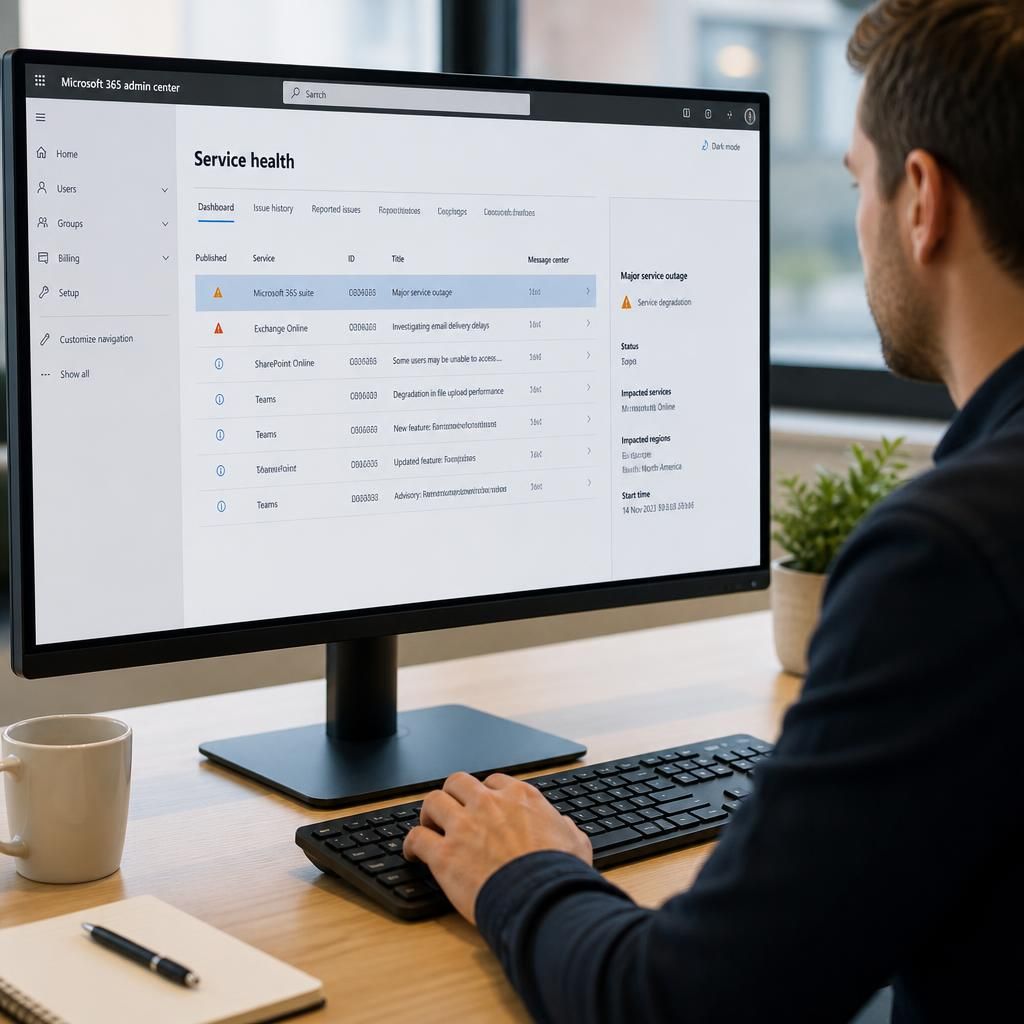
How should Microsoft 365 support manage service alerts?
Microsoft 365 support should review service-health alerts, verify whether they affect the organisation, assess business impact, and distinguish a Microsoft-side incident from a local configuration or connectivity issue. It should then communicate relevant updates, apply documented workarounds where appropriate, track resolution and record the incident for future review.
Microsoft 365 support should manage service alerts as a controlled incident process: validate the notification, determine its relevance, assign responsibility, keep stakeholders informed and close the event only when normal service has been confirmed. The aim is to prevent an unverified alert from creating unnecessary disruption while ensuring that a genuine Microsoft 365 issue receives an appropriate response.
Start with a reliable alert source. Alerts should be collected from the Microsoft 365 admin centre and, where configured, from approved email notifications or monitoring tools. Support staff should check that the message is genuine before acting on it, particularly where an alert contains links or requests administrative sign-in details. The original notice, incident reference, affected service and publication time should be retained so later updates can be compared accurately.
Classify the alert before escalating it. Microsoft 365 service-health information may describe an active incident, a service advisory, planned maintenance or a feature-specific limitation. These categories require different responses. An active incident may justify immediate operational measures, whereas an advisory may require monitoring, user guidance or a planned configuration review. The classification should be updated if Microsoft changes the incident status or scope.
Assess organisational exposure. A service notification is not automatically relevant to every user or workload. Support should compare the affected service, tenant configuration, licence assignments, locations and business processes with the organisation’s actual use of Microsoft 365. For example, an issue affecting a particular collaboration feature may matter to project teams but not to staff who do not use that feature. This assessment helps separate a general notification from a material operational concern.
The assessment should also identify dependencies. An email, document-sharing or collaboration problem may affect connected workflows, mobile access, automated processes or third-party integrations. Recording these dependencies gives decision-makers a clearer picture than simply repeating the wording of the vendor notification.
Use defined impact and priority criteria. A practical alert process should consider the number and type of users affected, the importance of the affected service, whether work can continue using an alternative method, the sensitivity of the data involved and whether administrative action is required. Priority should reflect business consequences rather than the technical wording or severity label supplied in the notification.
Each alert should have an owner, a current status and a next review point. Ownership prevents duplicated investigation and makes it clear who is responsible for checking new information, coordinating internal actions and confirming closure. If the event affects a critical business process or requires a decision outside the support function, it should be escalated to the appropriate business owner with a concise summary of the available options.
Communicate proportionately. Internal updates should explain what is known, who may be affected, what users should do and when the next update is expected. Avoid presenting an early technical hypothesis as fact. Where the effect is limited, a targeted message is usually more useful than a broad announcement; where a widely used service is affected, managers may need a central update that they can pass to their teams.
Communication should remain consistent as the situation develops. Corrections, changes in scope and restoration notices should be clearly identified, and outdated instructions should be withdrawn. Support records should show which guidance was issued and to whom, especially where users were asked to change a working practice temporarily.
Apply mitigations carefully. A workaround should be assessed for security, data integrity, licensing and operational risk before it is recommended. Support should document its prerequisites, limitations and reversal steps. If a workaround involves changing a Microsoft 365 setting, it should follow the organisation’s change-control process and be tested against the relevant users or workloads where practicable. Temporary measures should have a named owner and a review condition so that they do not become permanent without a deliberate decision.
Confirm recovery rather than relying only on a status change. When the service notification is marked resolved, support should check the affected business function directly. This may involve testing sign-in, sending a message, opening a shared document or confirming that an affected integration is processing normally, depending on the incident. Any remaining symptoms should be treated as a separate investigation rather than assumed to be part of the resolved event.
After closure, the record should capture the timeline, affected services, user impact, communications, decisions, workarounds and any follow-up actions. Repeated alerts may indicate a need to improve monitoring, revise continuity procedures, update user guidance or review a dependency. A periodic review of these records can reveal recurring service risks and help Microsoft 365 support refine its alert thresholds, escalation routes and communication templates.
For organisations without a full in-house IT team, an external Microsoft 365 support partner such as S2 Technology Group can provide the operational structure around alert assessment, communication, change control and post-incident review while keeping decisions aligned with the organisation’s wider technology requirements.
Microsoft 365 service alerts should be accessible to the people responsible for reviewing them, without giving every support user unrestricted administrative privileges. A controlled alert process therefore needs defined roles for viewing service health, assessing tenant impact and approving any configuration change that may follow.
Use role-based access and separate alert review from change approval where practical. Notification recipients should be maintained as staff responsibilities change, while shared mailboxes or monitoring rules should be protected against unauthorised forwarding and accidental deletion. Access reviews should confirm that former administrators and third-party accounts no longer receive sensitive service information.
This separation creates a clear audit trail: one person or team can assess the alert, an appropriate business or technical owner can authorise a response, and the record can show which account performed each action. It also reduces the risk of treating a service notification as permission to make an unplanned tenant-wide change.