Does Microsoft 365 Business Premium include SharePoint storage?
Yes. Microsoft 365 Business Premium includes SharePoint Online storage for storing, organising and collaborating on business files, with capacity managed at the organisation level across its SharePoint sites.
Microsoft 365 Business Premium provides SharePoint Online storage as part of the subscription, but it is not an unlimited or separately assigned allowance for each user. The available capacity belongs to the organisation’s Microsoft 365 tenant and is used by its SharePoint sites and document libraries.
This storage supports common business activities such as:
- Creating team and communication sites
- Storing documents in SharePoint libraries
- Sharing files and collaborating on them
- Managing permissions, metadata and document versions
- Providing the file storage behind standard Microsoft Teams channels
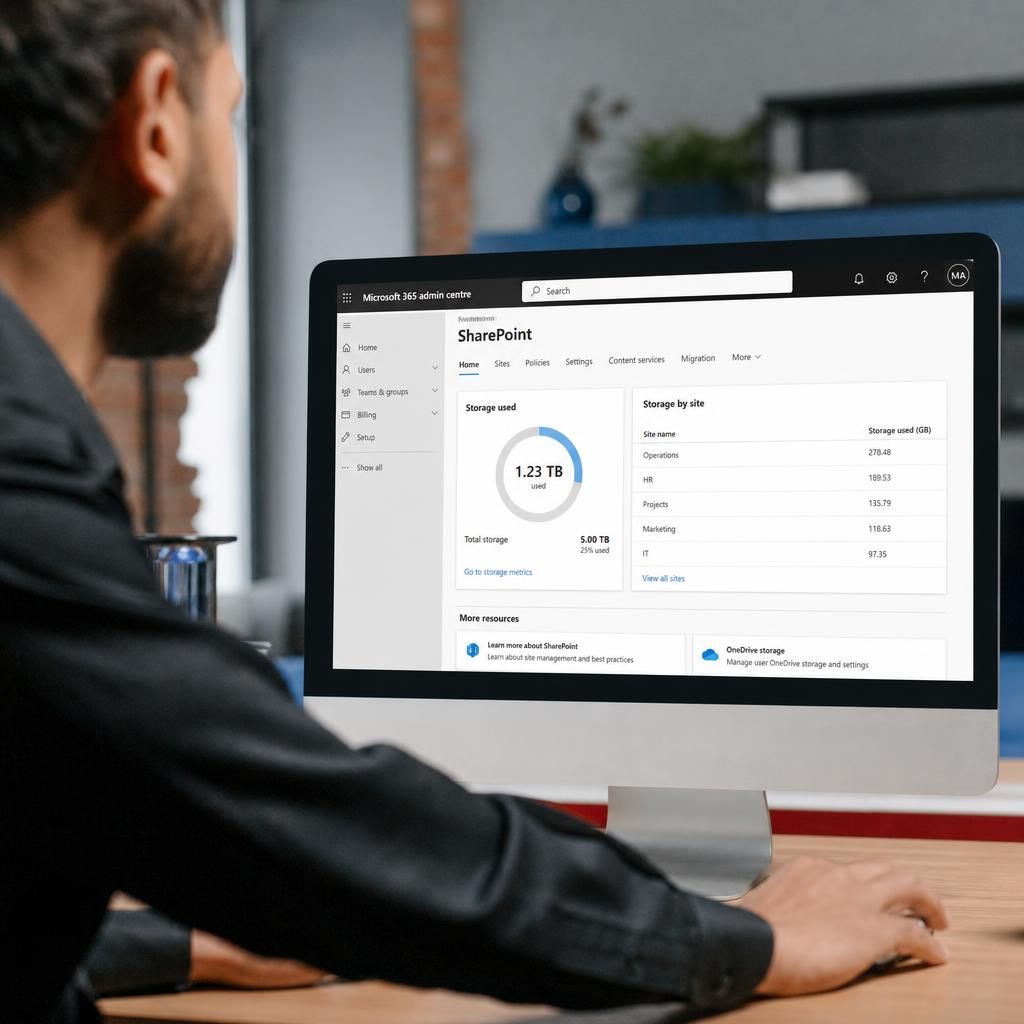
The amount available to a tenant is determined by the Business Premium licensing arrangement and any additional SharePoint storage that the organisation has purchased. The precise allowance should therefore be checked in the Microsoft 365 administration centre rather than assumed from the number of sites or users.
SharePoint storage is separate from each user’s OneDrive storage. OneDrive is intended primarily for an individual’s work files, whereas SharePoint is designed for files owned by teams, departments, projects or the wider organisation. Moving files between these services can affect where storage is consumed, permissions, sharing arrangements and how easily colleagues can find the information.
Storage usage can grow for reasons that are not immediately visible in the main document library. SharePoint can retain previous file versions, deleted content may remain in recycle bins for a period, and files placed in multiple sites all contribute to the tenant’s overall usage. Large media files, repeated uploads and extensive version history can therefore consume capacity more quickly than the current contents of a library might suggest.
Administrators can review storage consumption across the tenant and identify which sites are using the most space. They can then apply appropriate controls, such as reviewing old content, managing version-history settings, emptying recycle bins where suitable, archiving information in line with business requirements or purchasing additional capacity. Deleting files should be approached carefully because retention, compliance and recovery requirements may apply.
Business Premium gives an organisation access to SharePoint storage, but the subscription does not remove the need for sensible information management. A suitable structure for sites and libraries, clear ownership, appropriate permissions and regular storage reviews help prevent the included capacity from being used inefficiently.
Microsoft 365 Business Premium includes SharePoint Online as a service, but the tenant’s available capacity is linked to its licensing arrangement rather than permanently fixed for every user. Changes to the number or type of eligible licences can therefore affect the storage available to the organisation, while separately purchased SharePoint storage is managed in addition to the included allowance.
For an accurate position, an administrator should check the SharePoint storage information in the Microsoft 365 administration centre. This confirms the tenant’s current allowance and usage instead of relying on a generic description of the Business Premium plan.