
Can external users access SharePoint files in Microsoft 365 Business Premium?
Yes. SharePoint in Microsoft 365 Business Premium allows external users to access shared files and folders when external sharing is enabled and appropriate permissions are assigned. They may authenticate with a Microsoft account, organisational account or a verification code, depending on the sharing settings.
External access is controlled through SharePoint sharing settings, site permissions and the type of sharing link used. A Business Premium administrator can decide whether external sharing is available across the organisation, while site owners can apply more restrictive settings to individual sites.
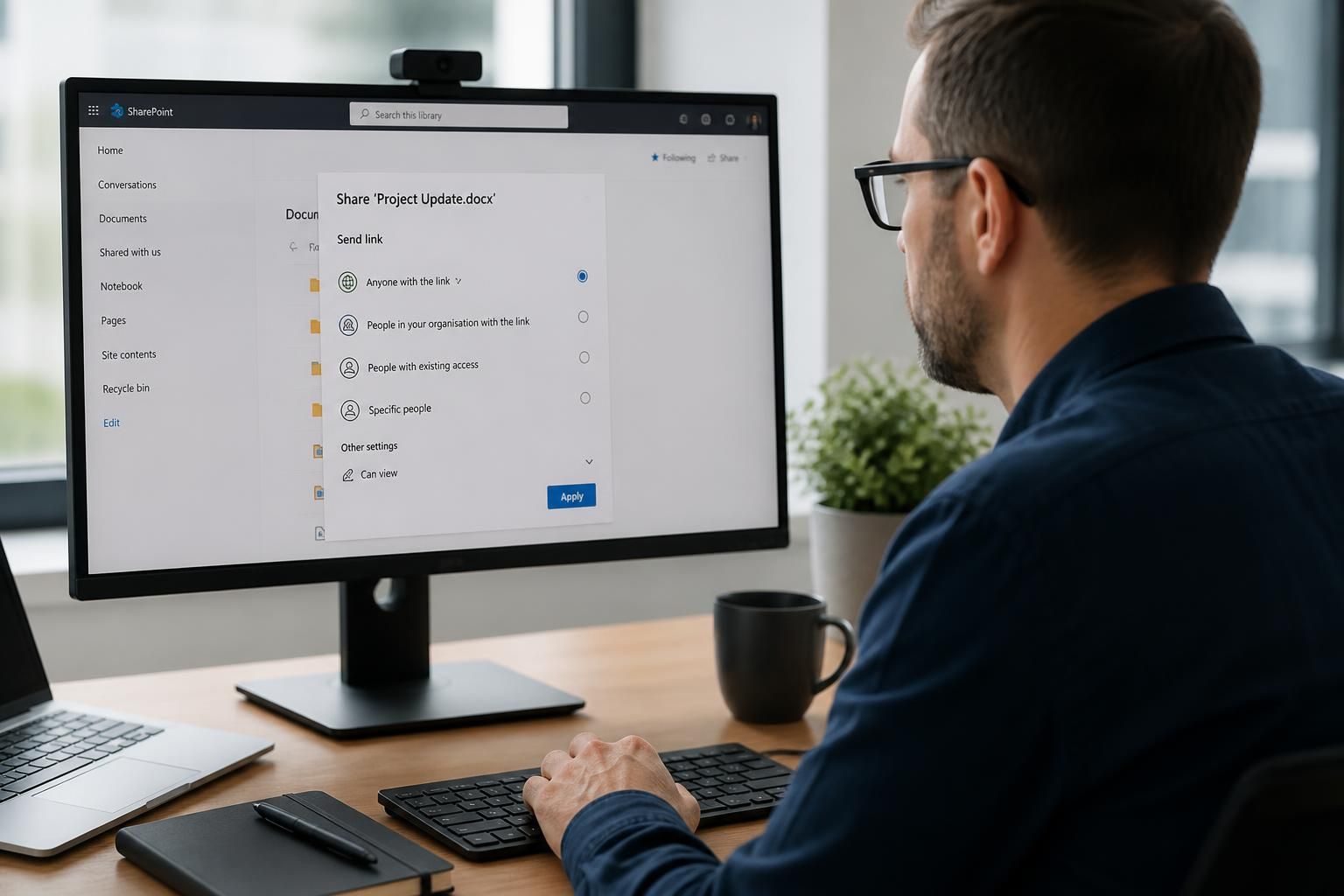
There are several ways to share content:
- Specific people: The file or folder is shared with named recipients. They authenticate using an approved account or verification method, and access can be removed without changing permissions for other users.
- Existing guests: Access is limited to external people who already have guest identities in the organisation’s directory.
- Anyone with the link: Where permitted by the administrator, a link can provide access to anyone who obtains it. This is less controlled because the recipient may not be individually identified.
Organisation-wide SharePoint settings determine the highest level of external sharing that is allowed. A particular site can then be configured to use the same level or a stricter one. For example, an administrator might permit guest sharing generally but prevent anonymous links on a site containing confidential client or financial information.
Access can be granted to an individual file, a folder, a document library or, in some cases, an entire SharePoint site. The permission assigned determines what the external user can do. Read access allows viewing and, subject to the file type and settings, downloading. Edit access permits changes to the shared content. Sharing a specific folder is usually safer than giving an external person access to a complete site, because it limits their visibility to the information required for the task.
External sharing does not automatically give someone access to the whole Microsoft 365 environment. A guest who is invited to a SharePoint site should only receive the permissions associated with that invitation. They do not gain access to unrelated sites, libraries or business data unless those resources are shared separately or inherited through broader permissions.
Administrators should review the following controls before enabling external access:
- Whether external sharing is enabled at organisation and site level.
- Whether anonymous links are allowed, and whether those links permit viewing or editing.
- Whether links expire or can be restricted to named recipients.
- Whether external users are allowed to reshare files with other people.
- Whether guests can access content only through approved devices, locations or authentication conditions.
- Whether guest accounts and sharing activity are reviewed and removed when access is no longer necessary.
Microsoft 365 can represent invited external users as guest identities, making it easier to manage their permissions and remove access later. Depending on the tenant’s configuration, the guest may be asked to sign in with an organisational account, a Microsoft account or a one-time verification process. The exact sign-in experience is determined by the sharing and identity settings rather than by the file itself.
Security controls should be combined with appropriate information classification. Sensitive documents should normally be shared with named people, given the minimum required permission and protected by an expiry or review process where available. An editable link sent through email or copied into an uncontrolled location is more difficult to govern than an invitation tied to a specific recipient.
When access needs to end, an administrator or site owner can remove the person’s permission, delete or disable the guest identity, change the sharing link or stop sharing the item. Removing a user from one site does not necessarily remove access granted through a different site or link, so an access review should consider all relevant sharing routes.
SharePoint audit information can help identify who shared content and how it was accessed, subject to the organisation’s licensing, retention and auditing configuration. Businesses should test their chosen sharing model with a non-privileged account before using it for customer, supplier or partner data, then document who owns the shared content and how permissions are reviewed.
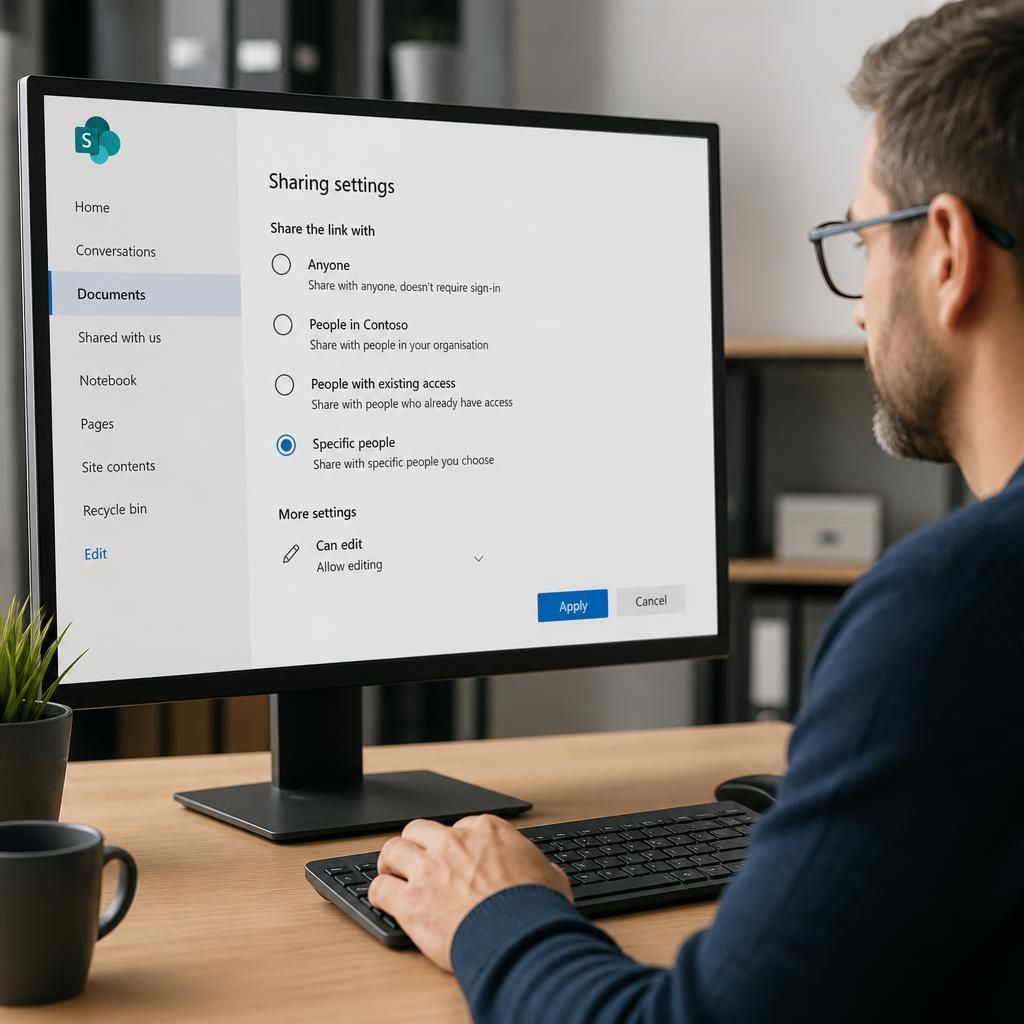
External users can generally view or edit SharePoint files shared with them without being assigned a Microsoft 365 Business Premium licence in the organisation. Business Premium licences are normally allocated to the organisation’s internal users, while standard guest access is handled through SharePoint’s external sharing model.
This access is limited to the content and actions that have been made available. An external collaborator may be able to open a document in a browser and, where editing is permitted, work on it with the team. They do not automatically receive the wider Microsoft 365 applications or services available to licensed staff. If they need to use additional Microsoft 365 functionality independently, separate licensing requirements may apply.