
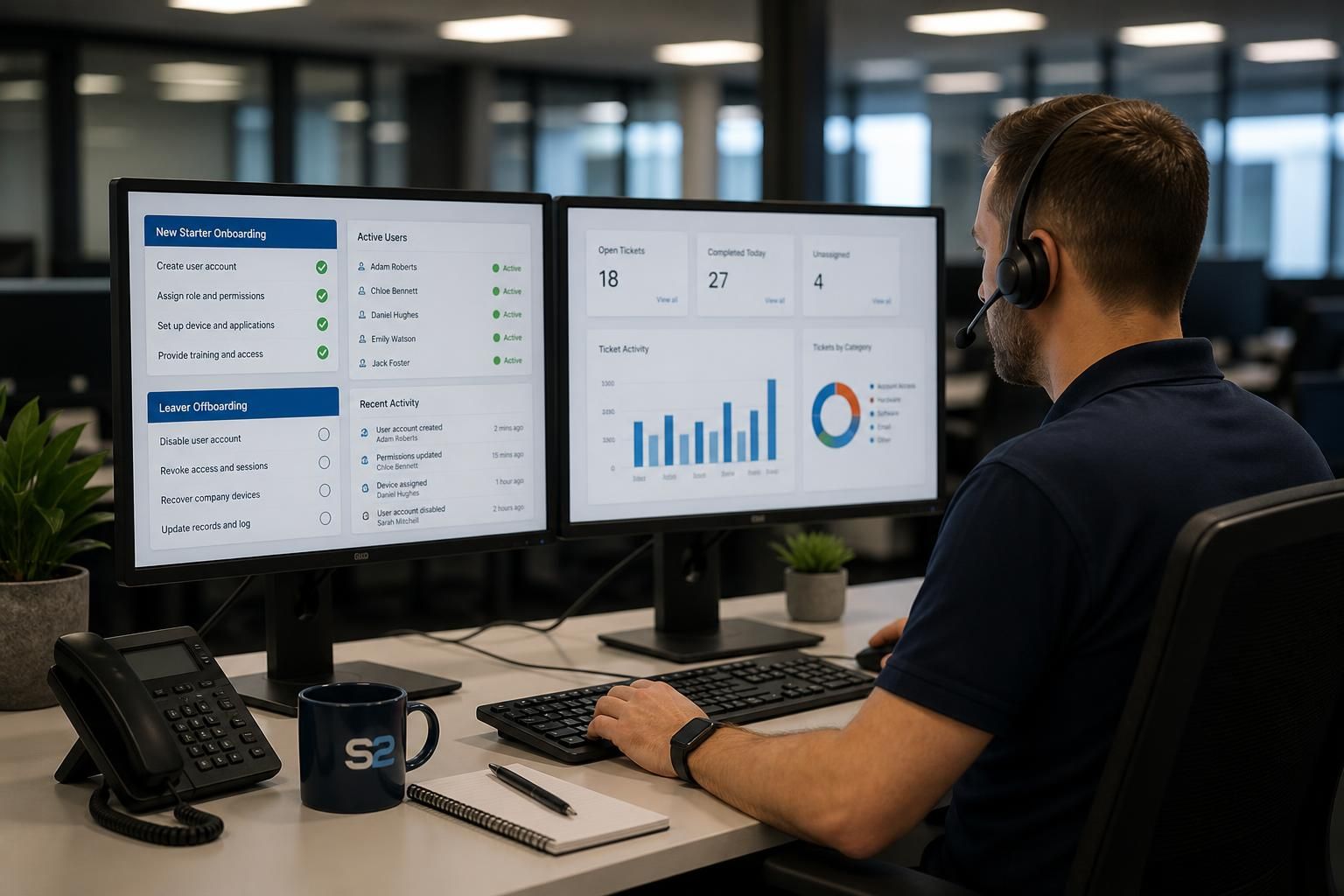
Can an IT helpdesk manage user onboarding and offboarding securely?
Yes. An IT helpdesk can manage user onboarding and offboarding securely by following documented access procedures, applying role-based permissions, protecting business data and devices, and maintaining an auditable record of each change.
Secure onboarding and offboarding are controlled identity and asset-management processes. An IT helpdesk supports them by coordinating approved requests, configuring accounts and devices consistently, removing access at the appropriate point, and recording the actions taken. The objective is to give a new user only the access required for their role, while ensuring a departing user cannot retain access to business systems or information.
Onboarding should begin with an authorised request. The request should identify the user, their role, reporting line, start date, location, required applications, device needs and any access to shared resources. A manager or other designated approver should confirm the requirements before the helpdesk creates accounts or assigns permissions. This prevents informal requests from resulting in excessive access and gives the business a clear record of who approved each decision.
A suitable onboarding workflow commonly includes:
- creating the user identity in the relevant directory or business systems;
- assigning role-based groups and permissions rather than granting broad access manually;
- enforcing password and multi-factor authentication requirements;
- configuring an approved laptop, desktop or mobile device;
- applying security settings, endpoint protection and required business applications;
- providing access to email, shared files, line-of-business systems and collaboration tools only where authorised; and
- recording the account, device, software and access changes in the helpdesk or asset records.
Role-based access is particularly important when several people perform similar duties. Instead of building each user profile from memory, the helpdesk can use agreed access groups for roles such as finance, operations or sales. This improves consistency and makes later reviews easier. Where a person has unusual responsibilities, the exception should be documented and approved rather than silently adding permissions that may never be removed.
Device preparation is also part of secure onboarding. A helpdesk may need to enrol a device into the organisation’s management platform, apply configuration policies, enable encryption where supported, install approved software and confirm that security controls are active before issuing it. The user should receive the correct account and device without being given administrator rights unnecessarily. Any recovery information, privileged credentials or setup codes should be handled through an approved secure process rather than sent in plain text.
Offboarding requires precise timing and coordination. The business should notify the helpdesk through an authorised process and state the effective date and time for access removal, together with any relevant legal, contractual or operational requirements. The helpdesk can then disable or remove accounts, revoke sessions and tokens, remove group memberships, suspend remote access and recover or secure associated devices. Where a user is leaving under sensitive circumstances, the instruction should clearly identify whether access must be withdrawn immediately.
Offboarding should also address information held in more than one system. The helpdesk may need to check email, cloud applications, file storage, collaboration platforms, remote access tools, shared mailboxes and specialist business applications. Mail forwarding, delegated access and file ownership should be approved by the appropriate manager rather than configured automatically. Business records should be retained in accordance with the organisation’s policies, while personal or unnecessary data should not be copied or retained without a valid reason.
A complete departure checklist can include:
- confirming the user’s identity and departure instruction;
- disabling sign-in and revoking active sessions;
- removing privileged, remote and application-specific access;
- resetting or transferring ownership of shared resources where approved;
- recovering devices, access cards, removable media and other company equipment;
- checking whether the user had access to service accounts, certificates or stored credentials;
- updating the asset register and software assignments; and
- recording completion, exceptions and outstanding actions.
The helpdesk should not assume that disabling a primary account removes every route into the business. Users may have separate application accounts, local profiles, mobile sessions, saved credentials or access through a third-party service. A controlled process therefore includes a review of connected systems and privileged access, especially for administrators, finance users and people who manage shared infrastructure.
Audit records make the process verifiable. A useful record identifies who requested the change, who approved it, which systems or assets were affected, when the action was carried out and whether any issue prevented completion. Ticket notes should contain enough detail for an authorised reviewer to understand the change without exposing passwords, authentication codes or other sensitive secrets. Periodic checks can compare active users and permissions with current employment and role information, helping identify accounts that are no longer needed.
Responsibility should be shared between the business and the IT helpdesk. Managers are normally responsible for confirming a person’s role and access requirements, while HR or another authorised function provides joiner and leaver information. The helpdesk carries out the technical changes within its agreed remit and reports exceptions. Larger organisations may also involve system owners, security teams or compliance staff for applications containing sensitive data.
For a managed IT service, these procedures should be written into the service documentation and aligned with the organisation’s access-control, device-use and data-retention policies. The important test is not simply whether an account was created or disabled, but whether the full lifecycle was controlled: the right access was approved, applied consistently, reviewed when circumstances changed and removed when it was no longer justified.

A secure onboarding and offboarding process should preserve the separation between user identities. Each person should receive a unique account linked to their own role and employment record, rather than using a shared login or reassigning a departing employee’s account to someone else.
When a user leaves, their account should be disabled or archived according to the organisation’s retention requirements, while the replacement user receives a separate identity with newly approved permissions. This preserves accountability in application logs, avoids confusion over ownership and prevents historic activity from being attributed to the wrong person. Shared accounts should be treated as exceptions, documented and protected with an additional process for identifying who used them.