

How does Microsoft 365 backup protect data from ransomware?
Microsoft 365 backup protects against ransomware by keeping separate, recoverable copies of business data, so encrypted or corrupted files can be restored from a point before the attack. It complements Microsoft 365 security controls: it does not prevent ransomware, but it provides a recovery option if an account, mailbox, SharePoint site or other backed-up data is compromised.
Microsoft 365 backup protects against ransomware by preserving usable recovery points and separating data recovery from the compromised environment. If ransomware changes, encrypts or deletes information, an administrator can identify a suitable point in the backup history and recover the affected data rather than relying solely on the live Microsoft 365 environment.
Ransomware can affect more than the files directly opened by a user. A compromised account may be used to alter documents, delete messages, change permissions or synchronise malicious changes across connected devices. Backup therefore adds a recovery layer that remains useful when the original data has been tampered with.
Key protections include:
- Historical recovery points: Multiple points in time make it possible to select data from before the malicious activity occurred, subject to the backup service’s configured retention and protection policies.
- Separation from live data: Backup copies should be protected through separate access controls and administrative boundaries. This reduces the risk that an attacker who gains control of a user account can alter or remove the recovery data as well.
- Granular recovery: Where supported, an organisation can recover selected files, folders, messages or other items instead of replacing an entire workload. This can reduce unnecessary disruption and help preserve legitimate changes made after the attack.
- Broader workload coverage: Protection should be assessed across the Microsoft 365 services the organisation actually uses, including email, personal storage, shared sites and collaboration data. Coverage varies by backup product and configuration, so it should not be assumed that every item is included automatically.
Recovery from ransomware normally involves identifying when the unwanted changes began, confirming which accounts and workloads were affected, and selecting a recovery point that predates the compromise. The organisation should then investigate the cause, secure affected identities and devices, and restore data in a controlled way. Restoring files without addressing a compromised account or endpoint can allow the same attack to continue.
Backup does not determine whether a recovery point is safe simply because it exists. The selected data should be checked for unexpected changes, suspicious files and signs of the original compromise. Depending on the incident, it may be appropriate to restore into a controlled location first, validate the content and permissions, and then return it to production. A recovery plan should also define who can approve restoration and how restored data will be checked.
Configuration is central to ransomware protection. Important considerations include which users and sites are included, how often data is captured, how long recovery points are retained, who can administer the backup platform, and whether deletion or policy changes require additional approval. Administrative accounts used for backup should be protected with strong authentication and limited permissions. Backup alerts and audit records should also be reviewed so that unexpected deletion, policy changes or failed protection jobs are not overlooked.
Testing provides evidence that the configured backup can support the organisation’s recovery requirements. A test should cover representative data, permissions, dependencies and the steps needed to return restored information to users. It should also confirm that staff know who makes decisions during an incident. The separate recovery process matters because ransomware incidents can involve identity, endpoint and access-control problems as well as damaged data.
Microsoft 365 backup is therefore one part of a wider ransomware strategy. Endpoint protection, secure authentication, least-privilege access, patching, user awareness and incident response help reduce the likelihood and spread of an attack. Backup addresses the data recovery requirement when those preventative controls are bypassed or an account is misused.
S2 Technology Group can help small and medium-sized organisations assess Microsoft 365 backup coverage, configure protection appropriately and align recovery procedures with their wider IT and cyber security arrangements. The important measure is not simply whether a backup job runs, but whether the organisation can identify trustworthy data, recover the required information and verify it after a ransomware incident.
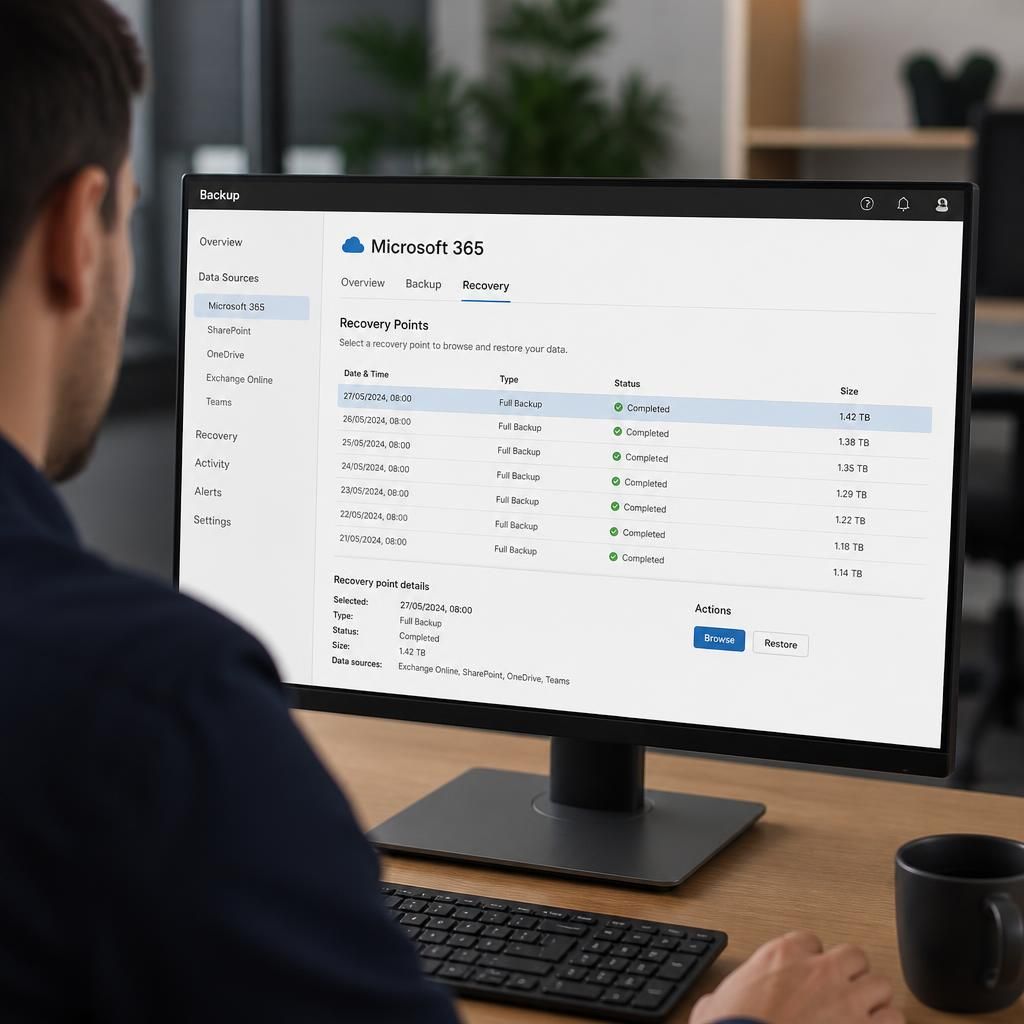
Microsoft 365 backup adds a recovery source that is managed separately from the live Microsoft 365 environment. This distinction matters because ransomware can encrypt files, remove earlier versions or trigger unwanted changes that synchronise across connected services. A recycle bin or version history may help with some incidents, but it should not be treated as the organisation’s only ransomware recovery method.
A separate backup policy can preserve recovery points according to its own retention and administrative controls. During an incident, the administrator can compare the timing of the attack with the available recovery points, select data from before the malicious activity and restore only what is required. The backup service should also record administrative actions, protect access to its management console and restrict who can delete data or change protection settings.
This separation reduces reliance on the same accounts, permissions and controls that may have been compromised. It does not replace identity security or endpoint protection, but it gives the organisation a distinct route to recover business information when the live Microsoft 365 data can no longer be trusted.